AI-enhanced safeguarding
Everything you need to safeguard effectively
Keep children safe
AI that watches for what humans might miss
Signal's AI works alongside your safeguarding team, surfacing risks, spotting patterns, and ensuring every concern gets the attention it deserves.
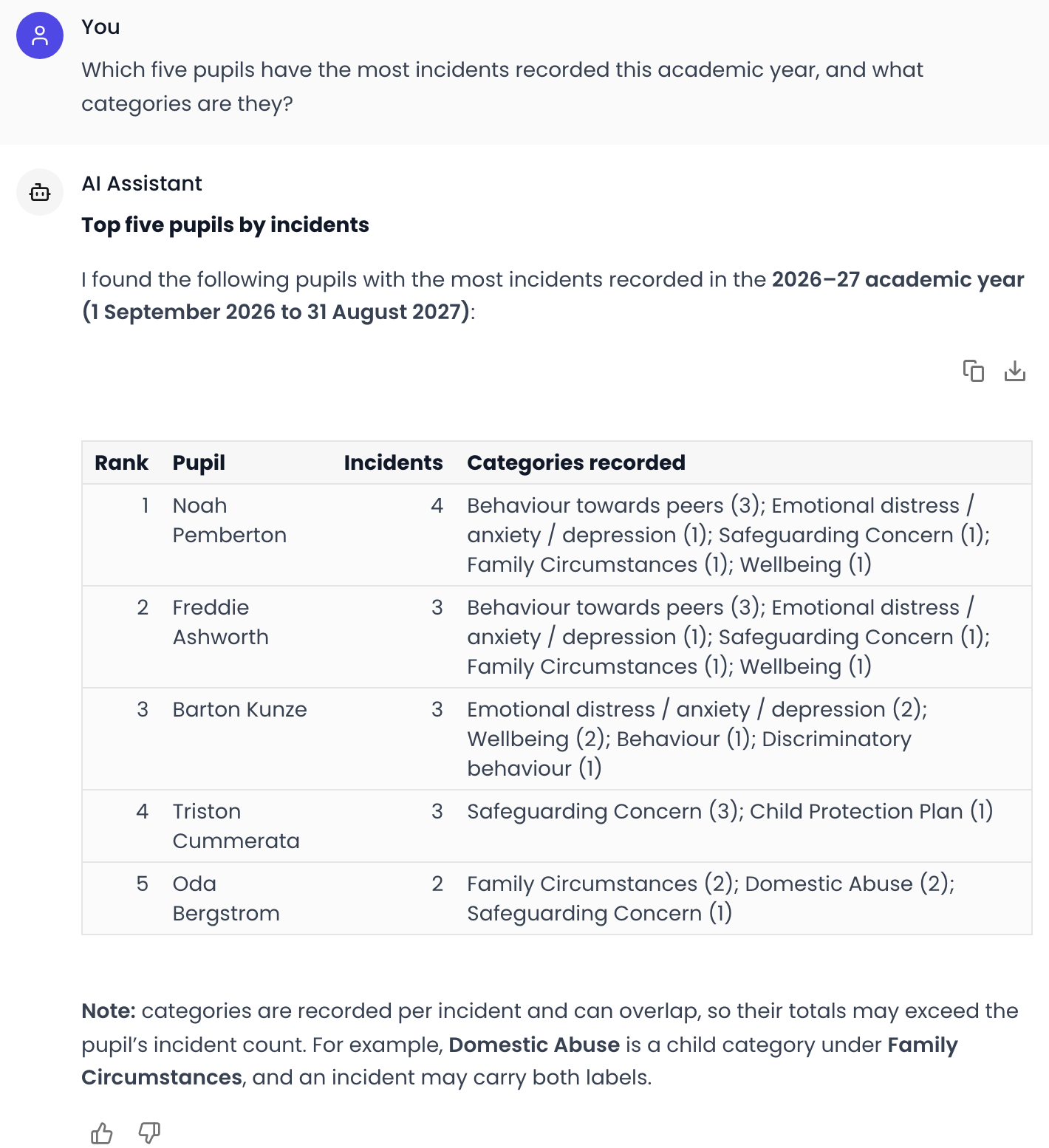
Explore the AI assistantAsk questions. See patterns. Act faster.
Signal's AI chatbot answers questions about your safeguarding data in plain English. A visual dashboard shows trends, charts, and patterns over time — giving you the full picture without digging through records.
- AI chatbot answers data questions in plain English
- Deep research across your entire safeguarding record
- Visual dashboard with charts showing trends over time
- Spot emerging issues before they escalate

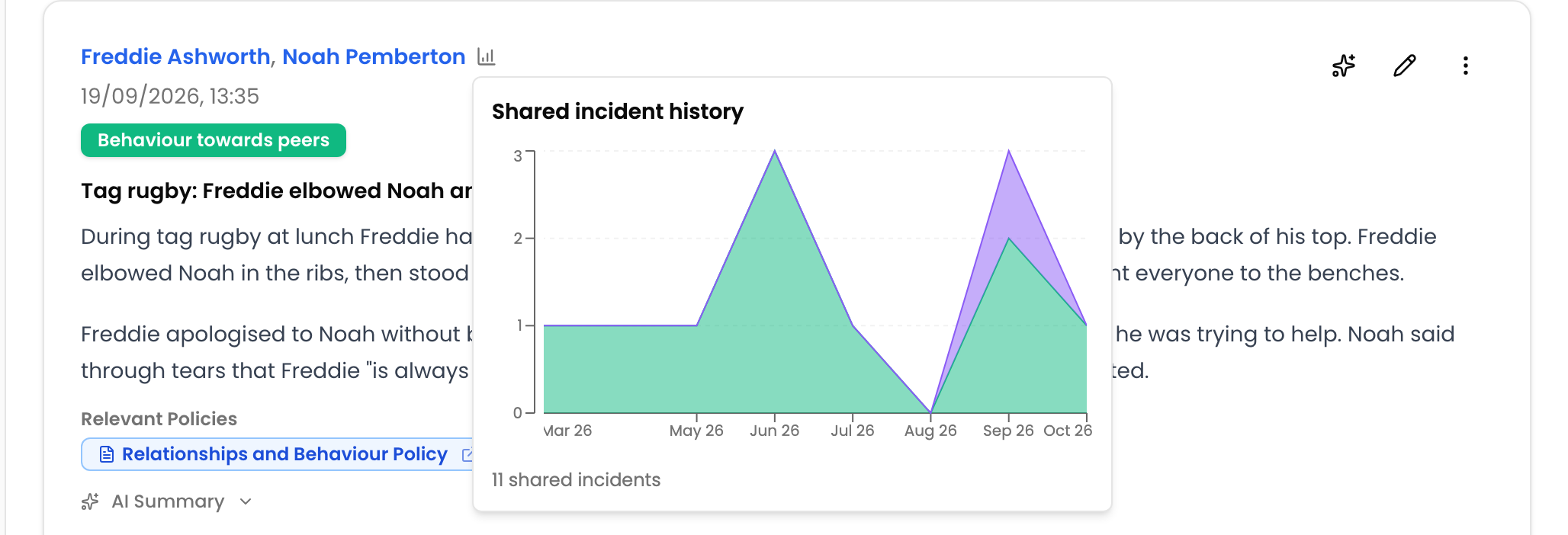
AI spots what humans miss
Signal continuously analyses incidents across your school, identifying connections and emerging risks that individual staff members wouldn't see. This means earlier intervention and better outcomes for vulnerable children.
- Identifies connections across incidents
- Early warning indicators for vulnerable children
- Trend analysis over time
- Proactive rather than reactive safeguarding

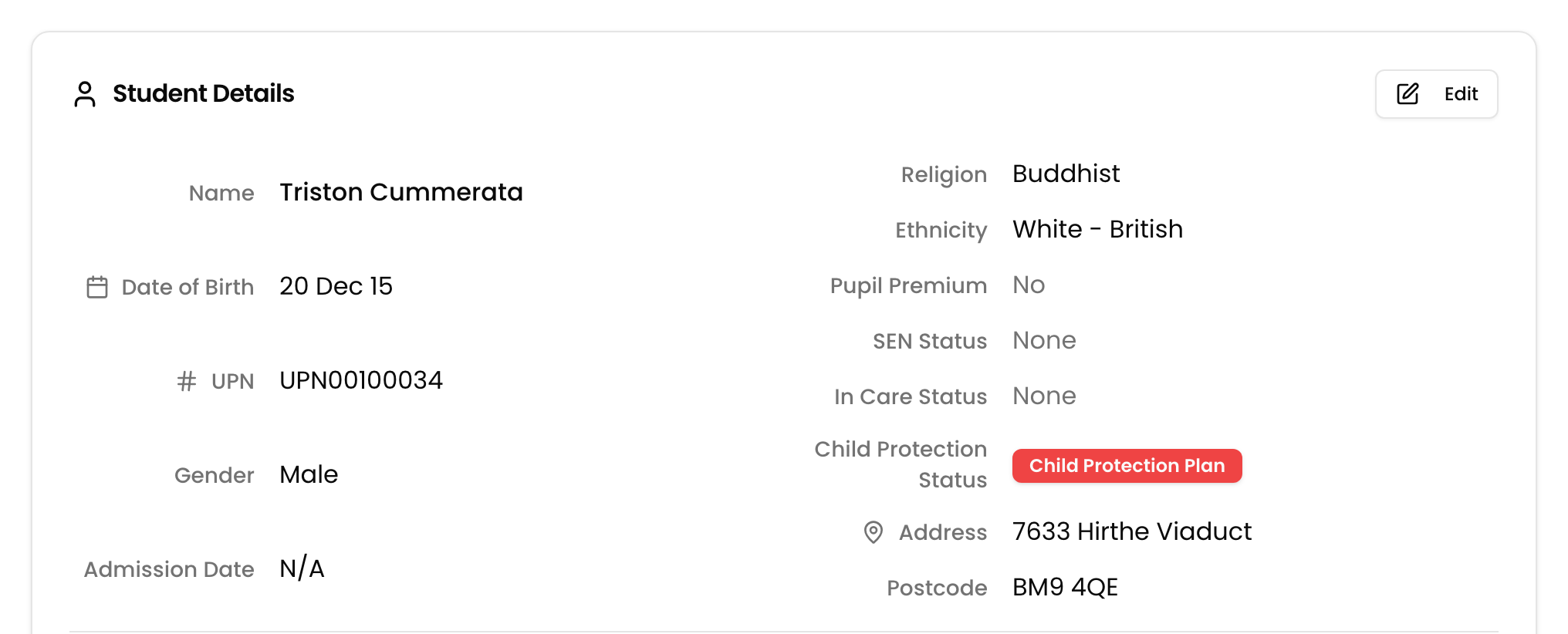
Child protection status, straight from your MIS
Child Protection Plan, Child in Need, Early Help or Monitoring — pulled automatically from Arbor, Bromcom and Wonde, shown on the student profile, and filterable across your whole roll. Sensitive by design: visible only to DSLs and Deputy DSLs. Zero data entry.
- Syncs automatically from Arbor, Bromcom and Wonde
- Filter your whole roll by status, alongside year group and other filters
- Visible only to Deputy DSL and above — hidden from everyone else
- Refreshes on every sync, so it is never out of date
Reduce workload
Automate the admin. Focus on the children.
Signal automates the time-consuming tasks that pull safeguarding teams away from what matters — so staff can spend their time supporting children, not filling in forms.
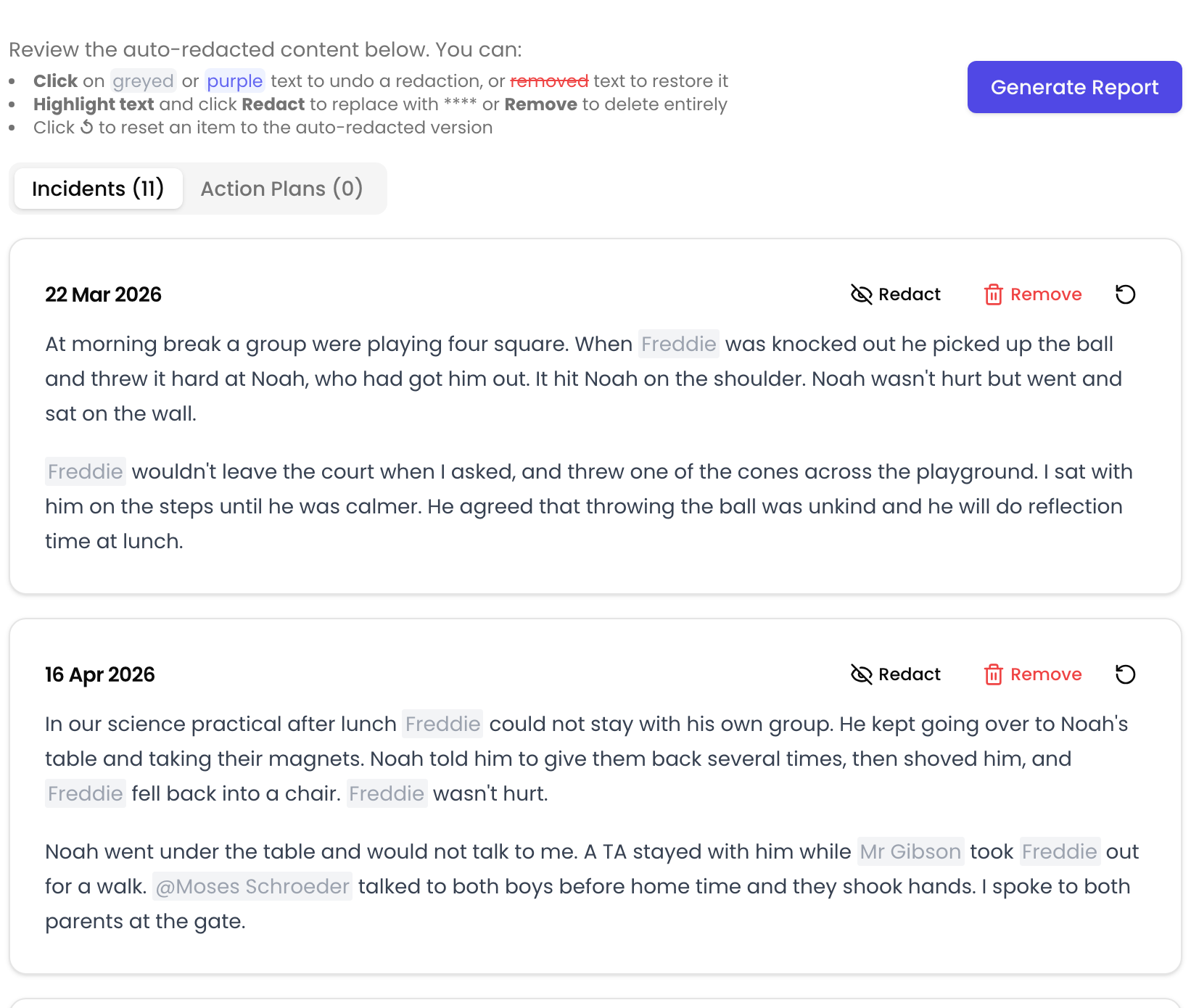
Subject Access Requests at the touch of a button
When a SAR arrives, Signal compiles every record for that individual in one click. Third-party names and sensitive information are automatically redacted — turning hours of painstaking work into seconds.
- Compiles all records for any person instantly
- Automatically redacts third-party sensitive information
- Export-ready documentation
- Hours of work reduced to seconds
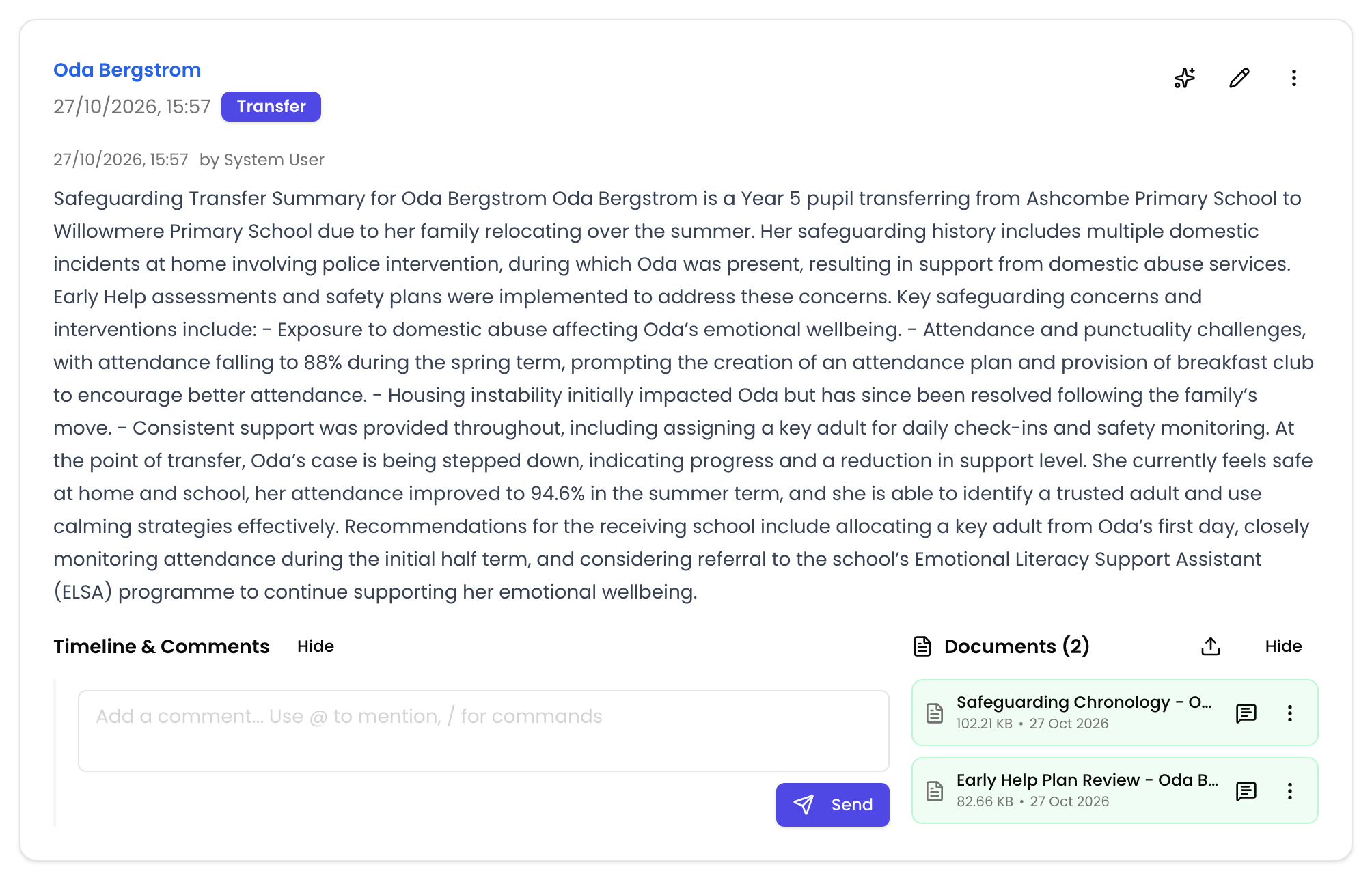
Nursery and school transfers, handled by AI
Send a transfer request to the previous setting and they upload documents directly into Signal — no chasing, no emails. Once uploaded, Signal's AI analyses every document and generates a structured safeguarding summary, ready for your team to review.
- Previous nursery or school uploads documents directly into Signal
- AI analyses and summarises every uploaded document automatically
- Works with any file type — PDFs, Word docs, scanned images
- No manual data entry, no chasing for paperwork

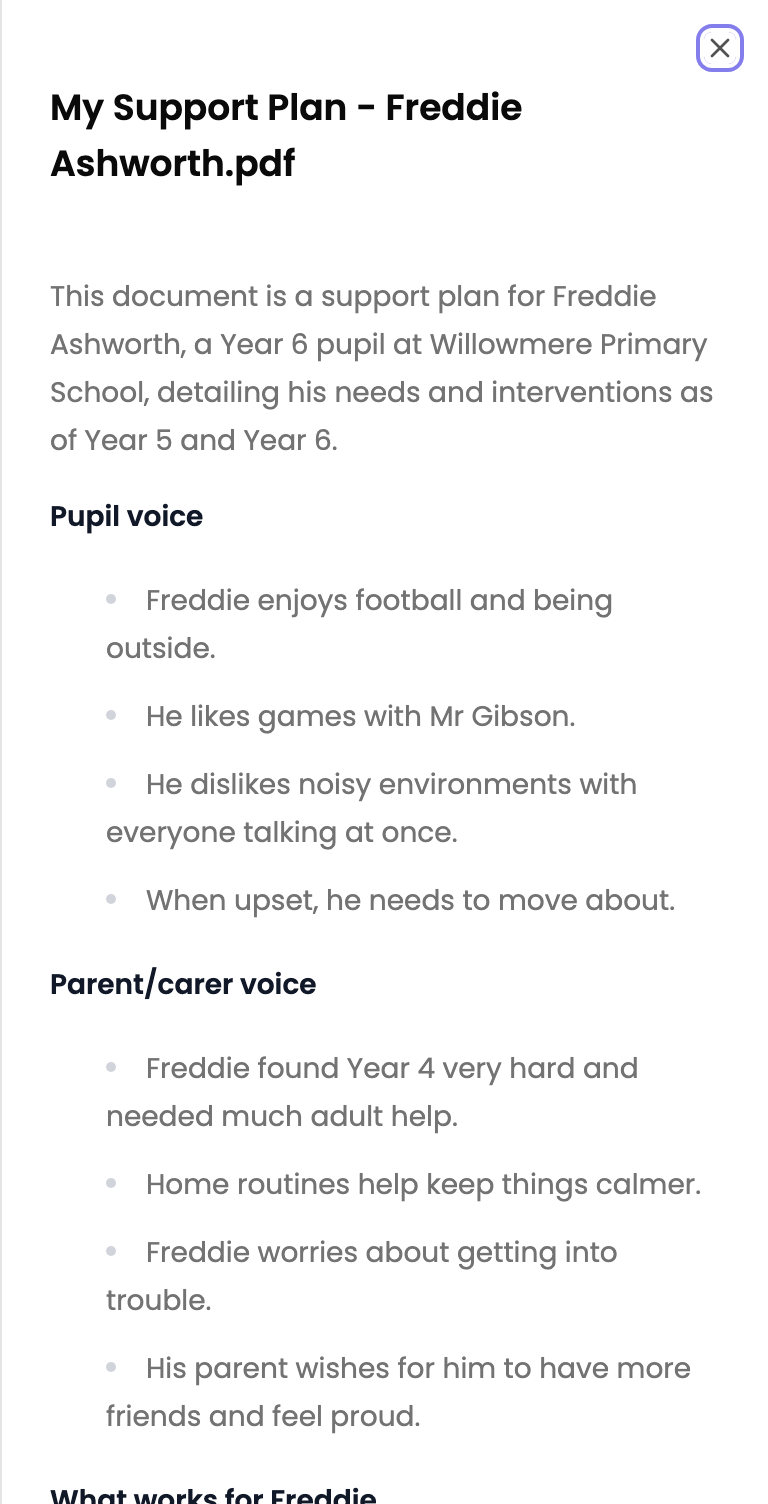
Instant AI summaries for any document
Upload any document — medical reports, EHCP plans, court orders, police reports, agency referrals — and Signal instantly generates a clear, structured summary highlighting the key points.
- Medical reports and EHCP plans
- Court orders and police reports
- Agency referrals and assessments
- Any uploaded document — instant summary

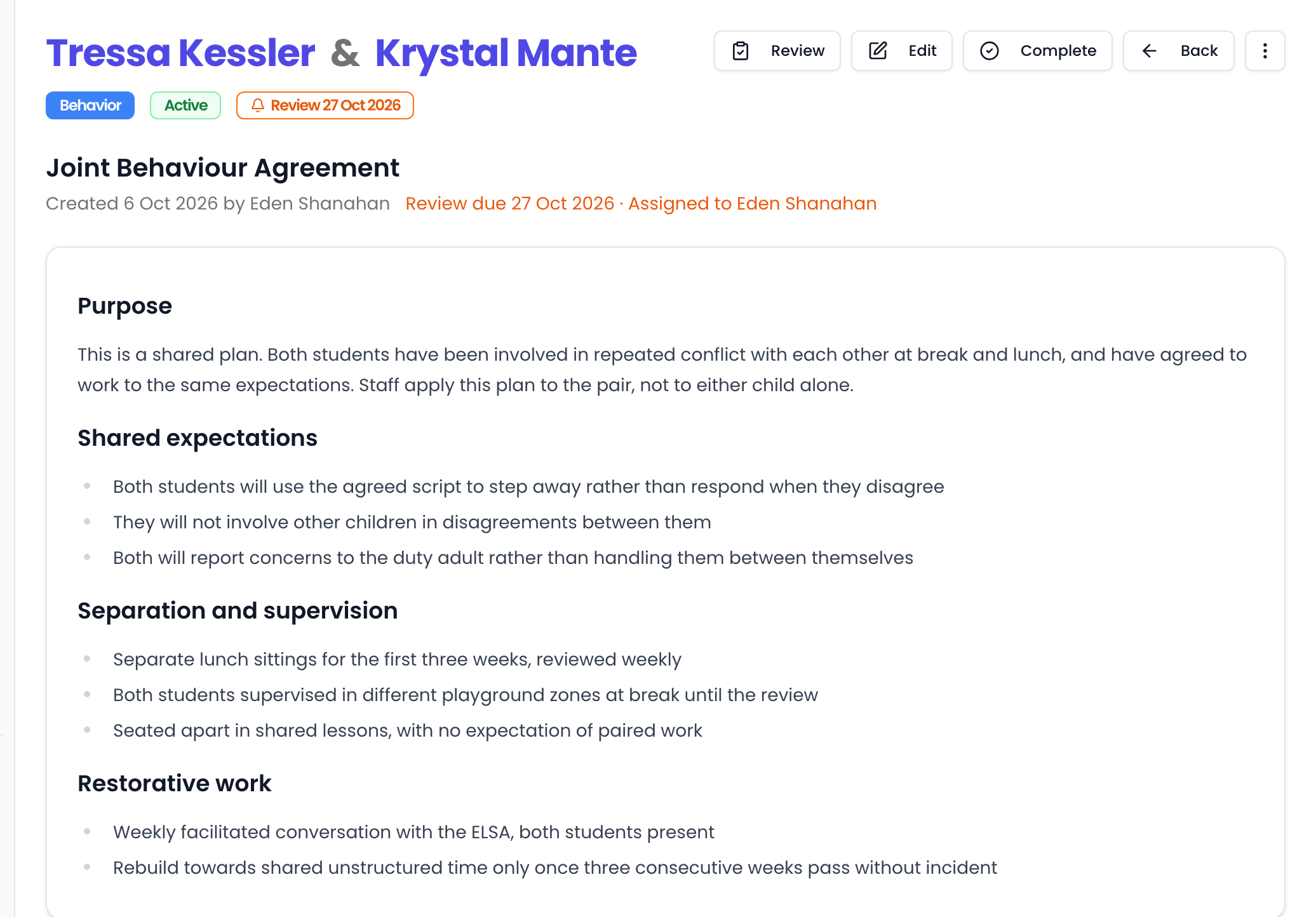
Long-term action plans, grounded in your policies
Beyond short-term actions, Signal generates longer-term plans for ongoing support — SEN plans, learning plans, behavioural plans — all grounded in your school's policies. Set review dates, receive alerts, and let AI draft review updates from recent incidents.
- Generate SEN, learning, and behavioural plans from your policies
- Customise format, content, and layout for each plan type — ensuring consistency
- Set review dates with automatic alerts when due
- AI generates review updates from recent incidents
Reminders, so nothing slips
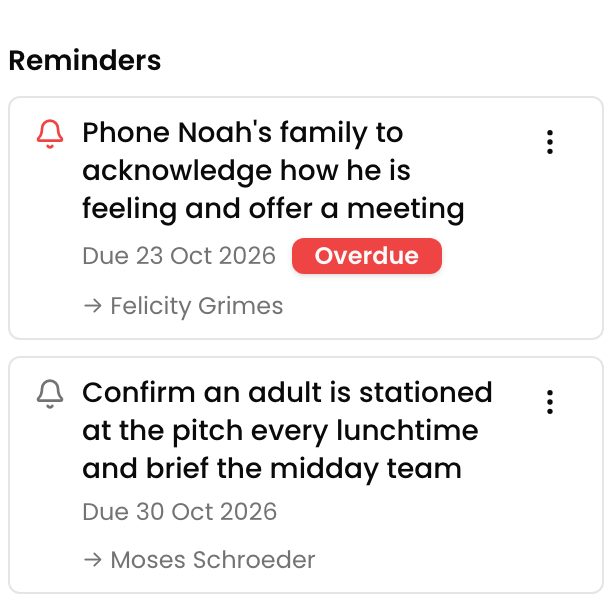
Add a follow-up to any incident, assign it to a colleague, and Signal surfaces it when it's due — with overdue items flagged on your dashboard and in the daily digest. Workflows can even create them automatically.
- Add a follow-up to any incident and assign it to a colleague
- Overdue items flagged on the dashboard and in the daily digest
- Unassigned reminders become a task for the safeguarding team
- Workflow rules can create reminders automatically
Ensure consistency
Every staff member responds the right way, every time
Whether it's a newly qualified teacher or a seasoned DSL, Signal ensures everyone follows the same policies, nothing falls between the cracks, and parents receive the right information.
Policy-driven actions and guidance for every incident
Upload your safeguarding policies and Signal's AI uses them to generate short-term actions, suggest next steps, and guide staff responses for every incident. Whether it's a newly qualified teacher or a seasoned DSL, everyone receives the same policy-aligned guidance — no generic advice, no reliance on institutional memory.
- Upload safeguarding policies in any format
- AI generates short-term actions and next steps grounded in your policies
- Consistent guidance for every staff member, regardless of experience
- New staff supported from day one — no institutional knowledge gap
Tag. Notify. Track. Nothing gets missed.
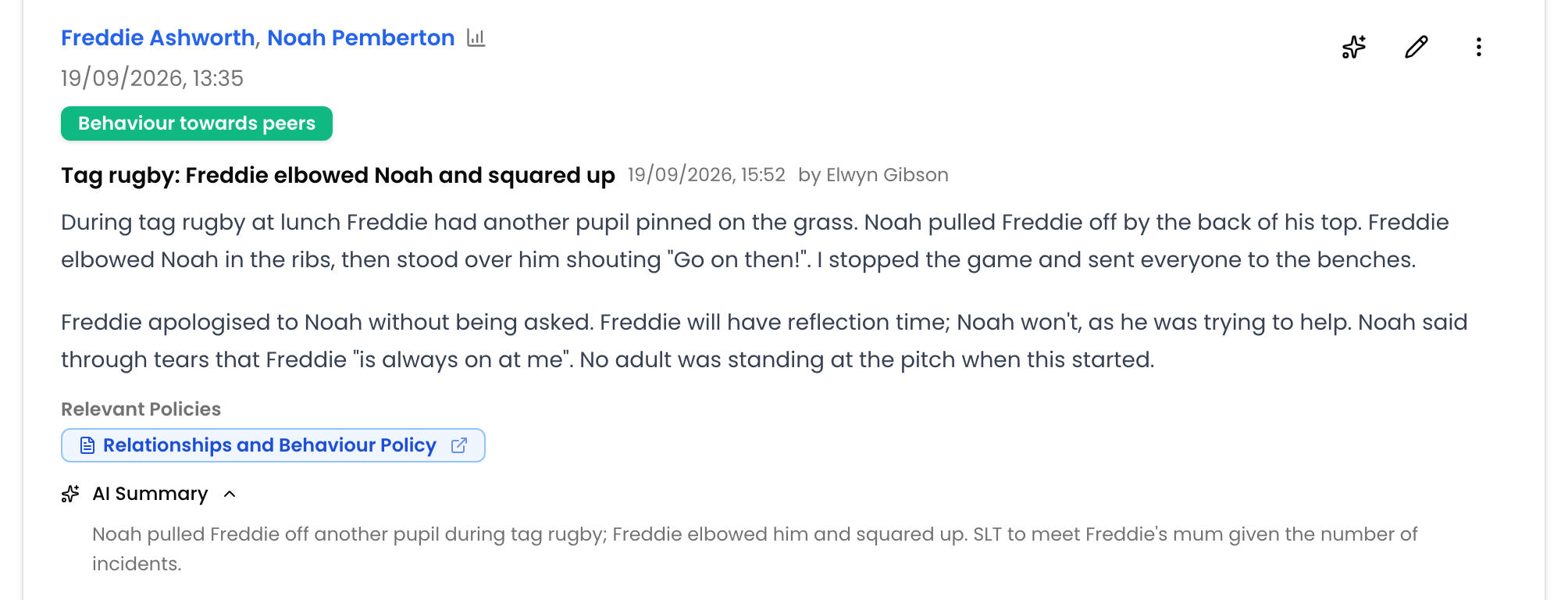
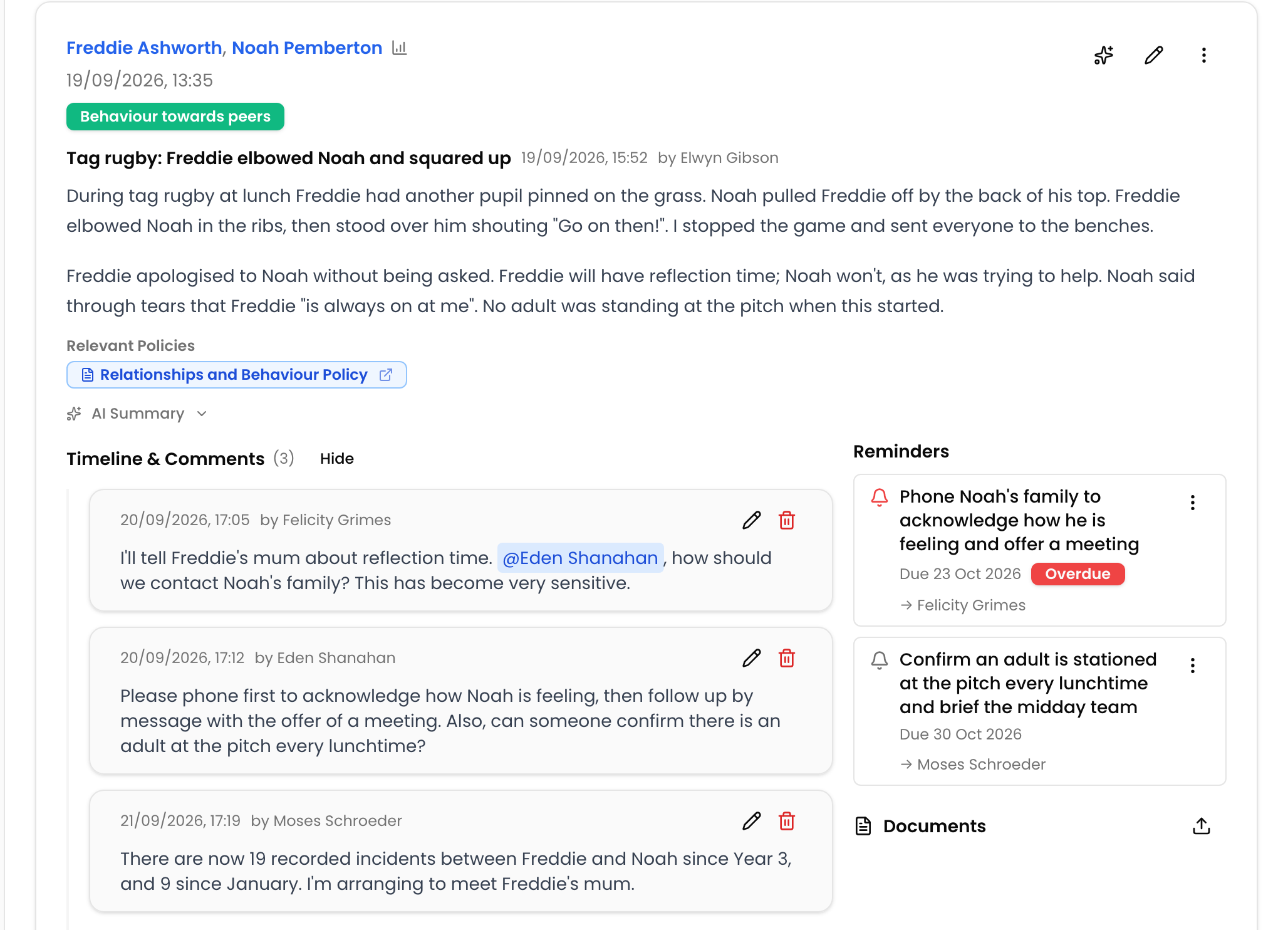
@mention colleagues directly on incidents and actions. They get real-time notifications instantly. Every tag creates an accountability trail — who was told, when, and what they did about it. No more email chains or 'I didn't see that'.
- Tag colleagues directly on incidents and actions
- Real-time in-app notifications
- Full accountability trail — who was told, when
- Replaces email and verbal handoffs entirely
Share the right information with parents, safely
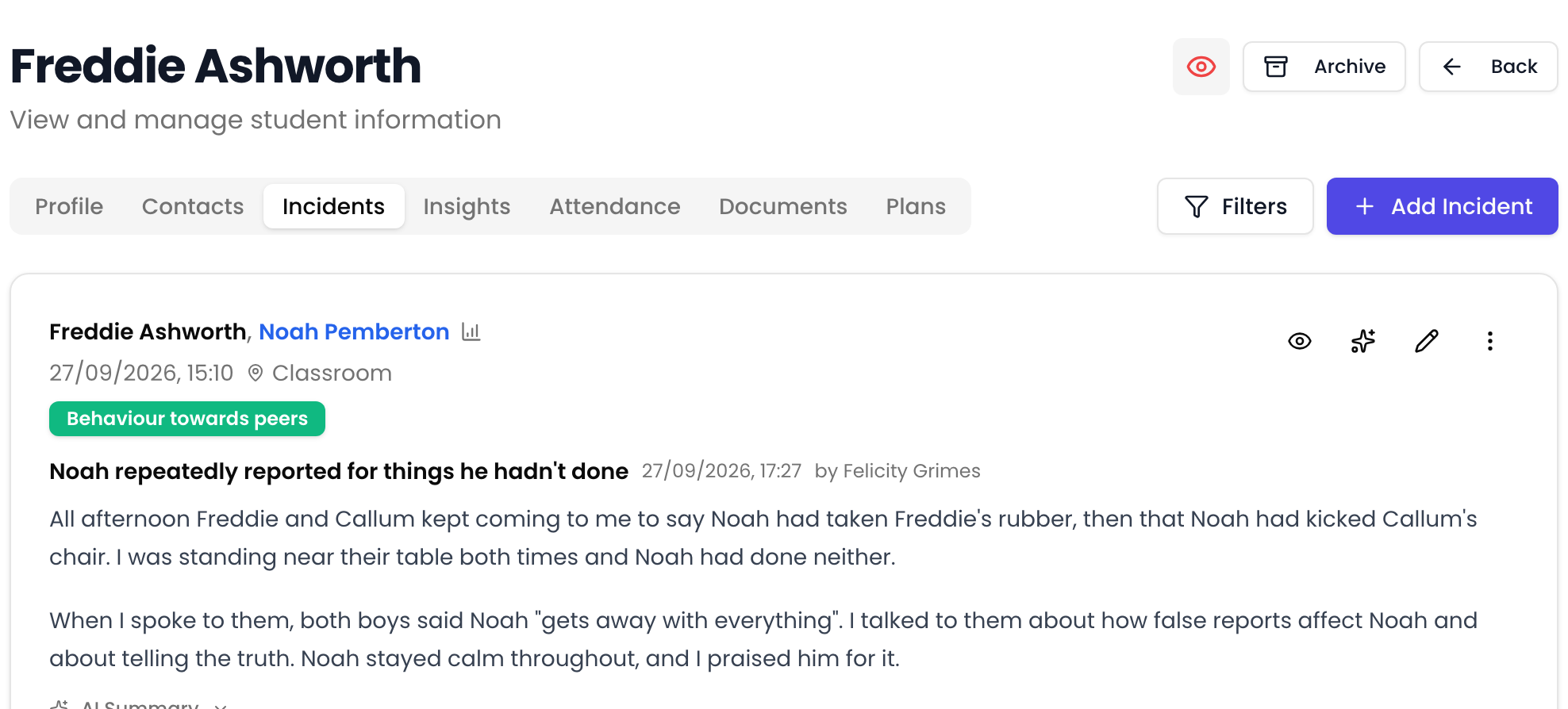
Before sharing anything with parents, staff toggle a 'parent view' to see exactly what will be visible. No accidental disclosure of sensitive third-party information. Sharing appropriate data becomes effortless and safe.
- Staff toggle to preview exactly what parents will see
- No accidental disclosure of sensitive information
- Makes appropriate information sharing effortless
- Built-in safeguard for data protection
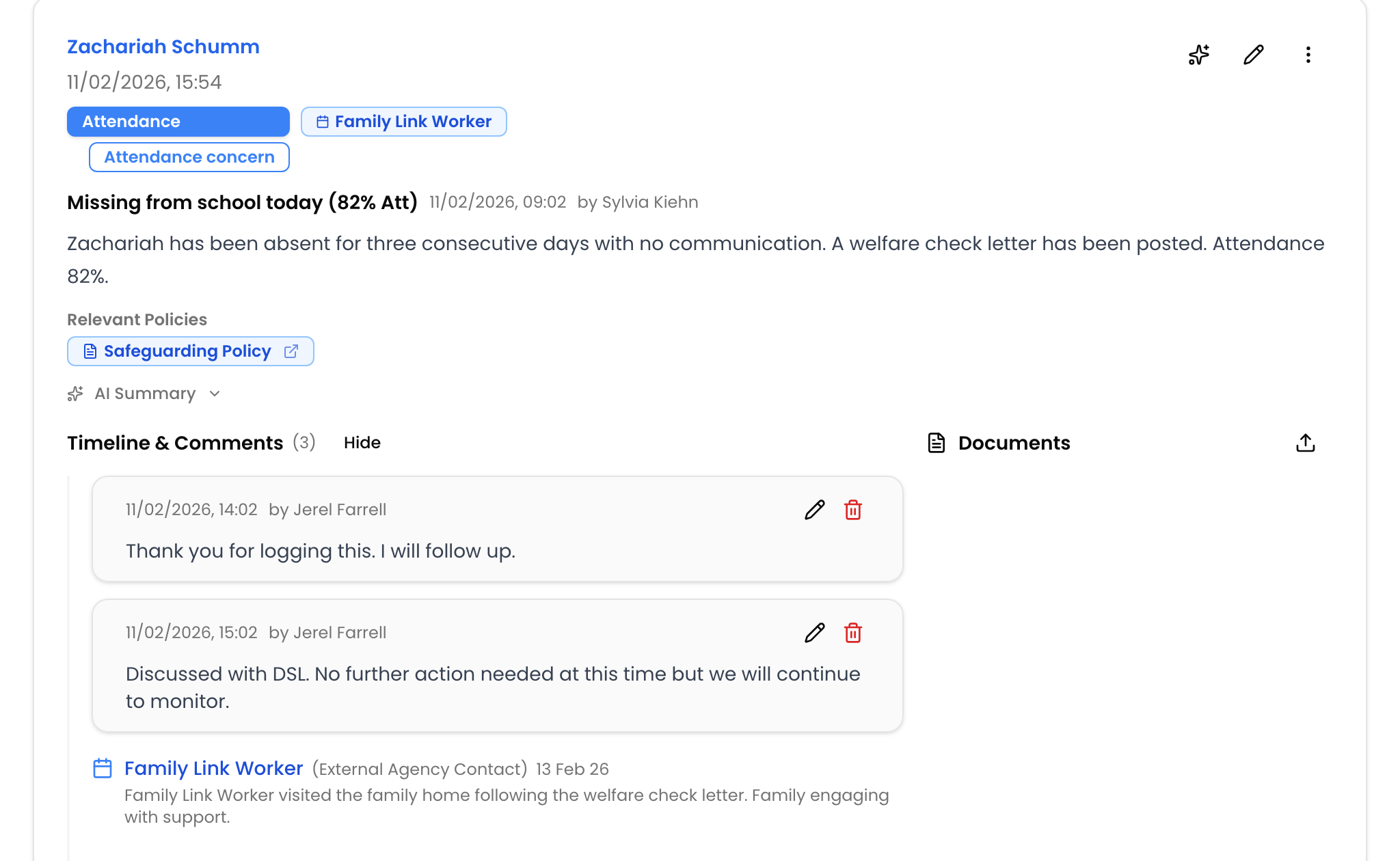
Events — record what you actually did
Categories say what a concern was; events capture what happened next — a suspension, a social care meeting, a police referral. Dated on the timeline, followed across every incident for a child, and countable in Insights. When someone asks 'what did the school do?', the answer is one clean timeline.
- Dated on the incident timeline, with an optional end date for anything spanning a period
- Linked to the student, so events recorded on one incident appear on their others
- Filter and count incidents by event type in Insights
- Group and name event types to match how your school actually works
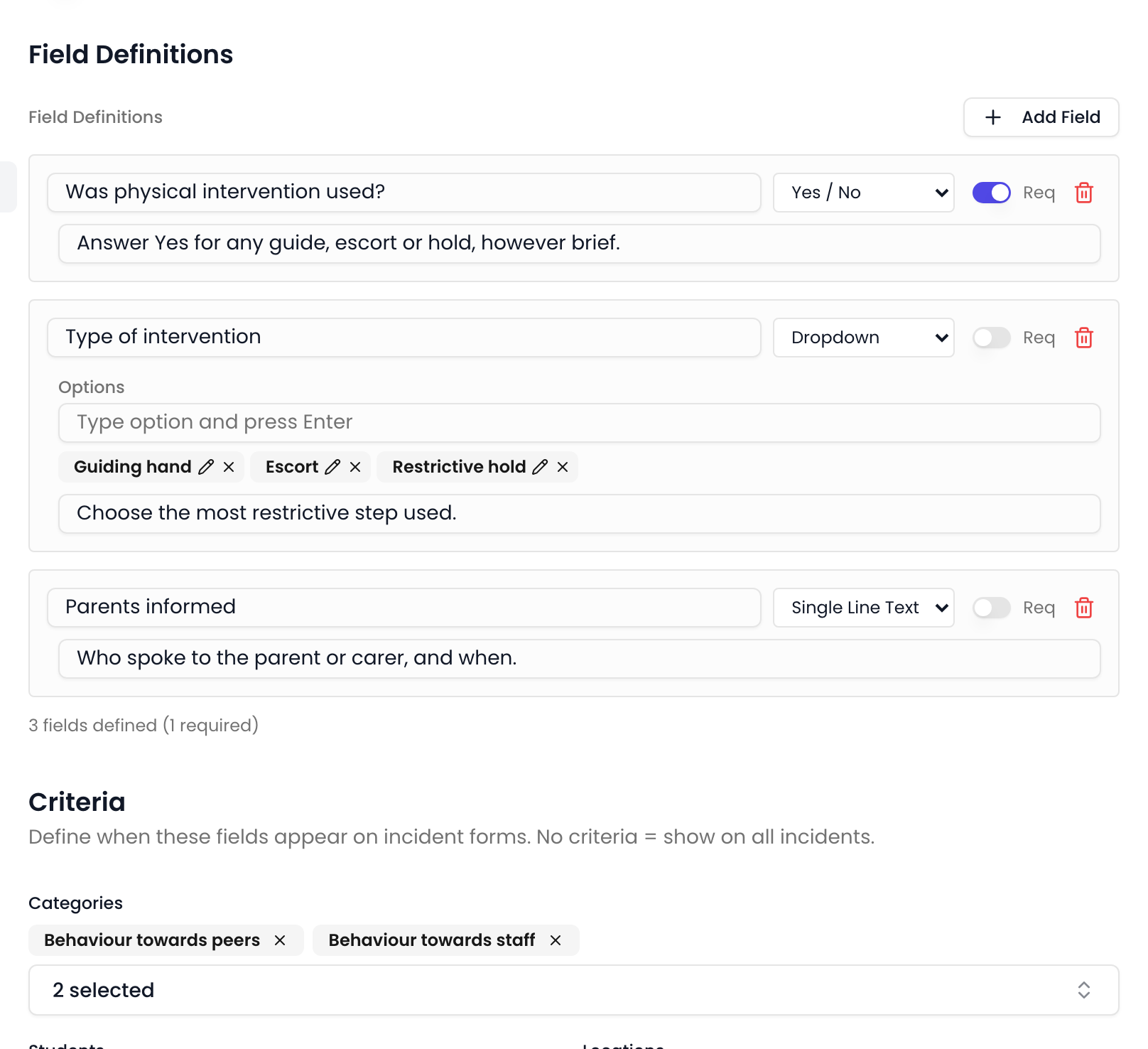
Ask the right questions, every time
Add your own fields to the incident form and show them only when they are relevant — driven by the categories selected, the student's groups, or their SEN and Pupil Premium status. The right prompts appear for the right concerns, so records stay consistent without a longer form for everyone.
- Text, dropdown, multi-select and yes/no fields, with optional guidance text
- Shown conditionally by category, student group, SEN or Pupil Premium status
- Mark fields required so key details are never left blank
- Group and total dropdown and yes/no answers in Insights
Stay compliant
Policies that keep pace with the guidance
Guidance changes. Review dates come round. Signal keeps track of both, so nothing lapses quietly between inspections.
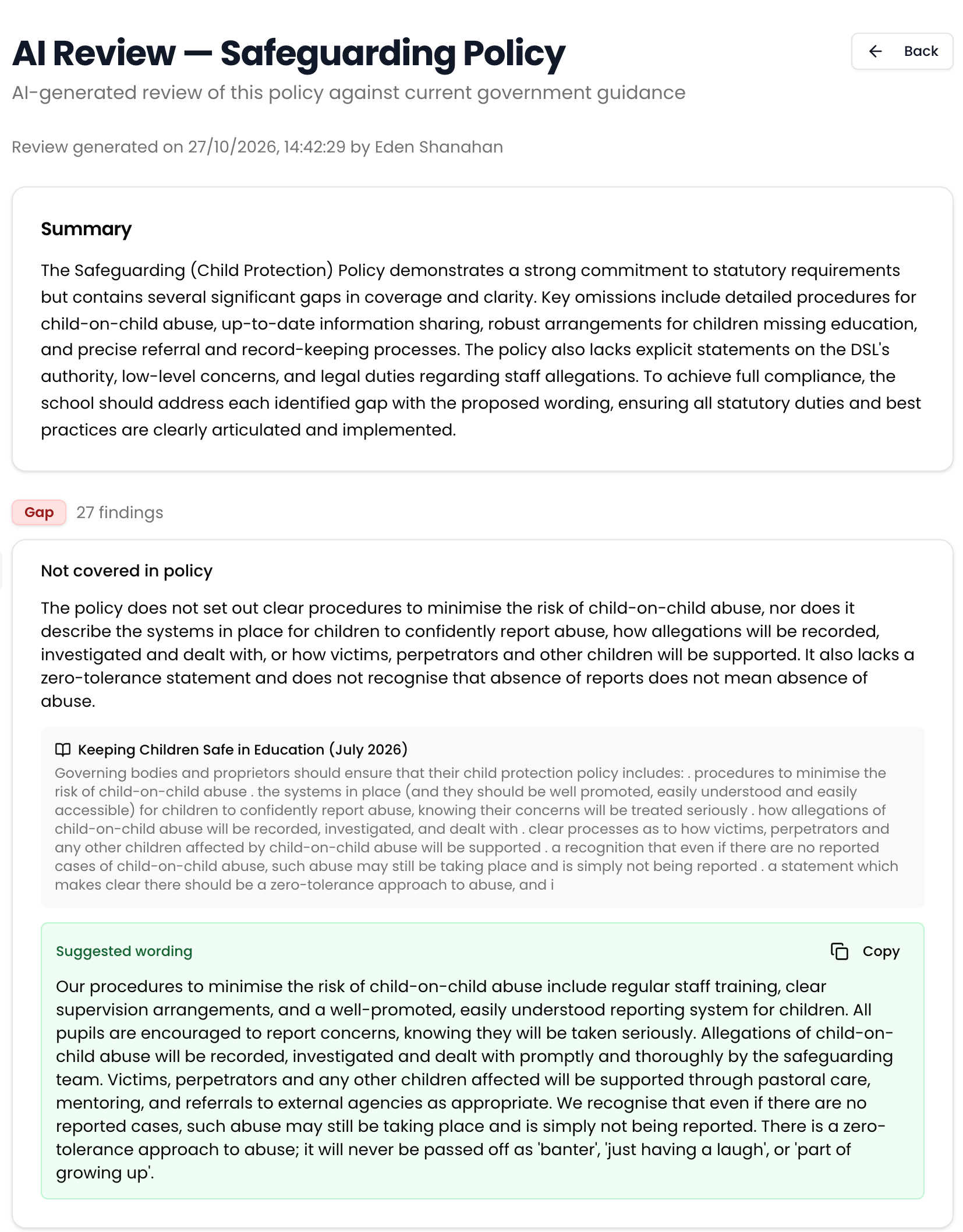
Explore policy managementAI policy review, checked against the latest guidance
Signal checks any policy against the current editions of government guidance and hands back a findings report — gaps, outdated references and suggestions, each one citing the guidance and offering wording you can copy straight in. Hours of line-by-line checking against Keeping Children Safe in Education, done in a few minutes.
- Findings graded as a gap, an outdated reference, or a suggestion
- Every finding cites the guidance and quotes the passage it relies on
- Suggested wording you can copy straight into your policy
- Advisory by design — you review the findings and make the call
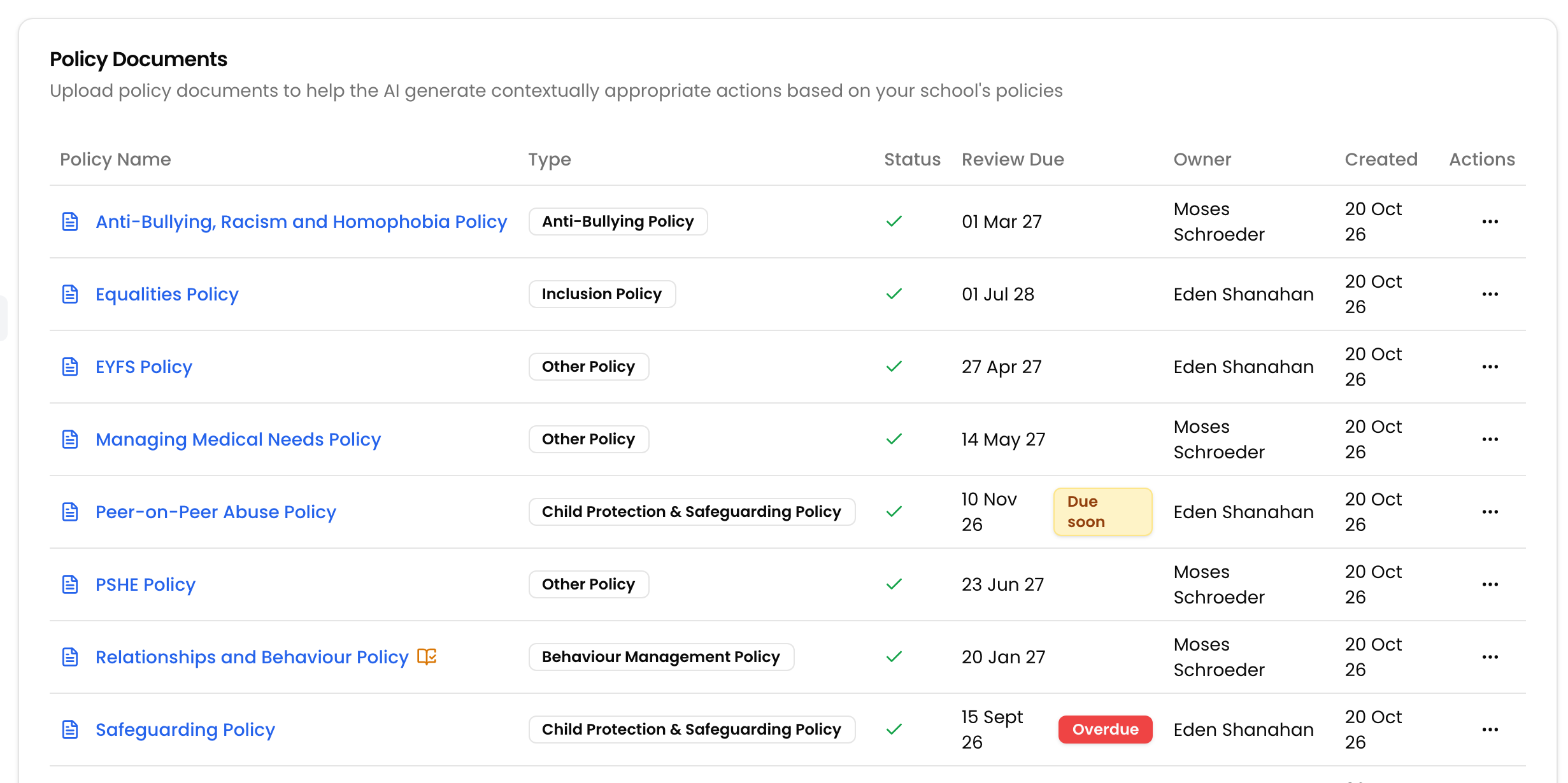
Review dates that nothing slips past
Give each policy an owner and a review frequency, and Signal works out the next review date, badges it when it is due or overdue, and reminds the owner on the dashboard and in the daily digest. No more discovering at inspection that a review slipped past eighteen months ago.
- Set a policy owner, review frequency and ratified date
- Due soon and overdue badges across your policy library
- Reminders on the dashboard and in the daily digest
- Mark as reviewed, with an optional new version upload
Know the moment government guidance changes
Signal checks GOV.UK every week for new editions of the guidance your policies are built on. When something changes, you get a summary of what is different and a list of exactly which of your policies it affects — matched to the policy types you actually hold.
- Weekly checks against the national guidance corpus
- A plain-English summary of what changed in the new edition
- See exactly which of your policies are affected
- Guidance updated badges stay until a person marks the policy reviewed

Automate your workflow
Set the rule once. Signal does the rest.
Decide what should happen when a concern meets your criteria — who gets told, what gets sent, what gets scheduled — and stop relying on someone remembering.
Explore workflow automationRules that route the right concern to the right people
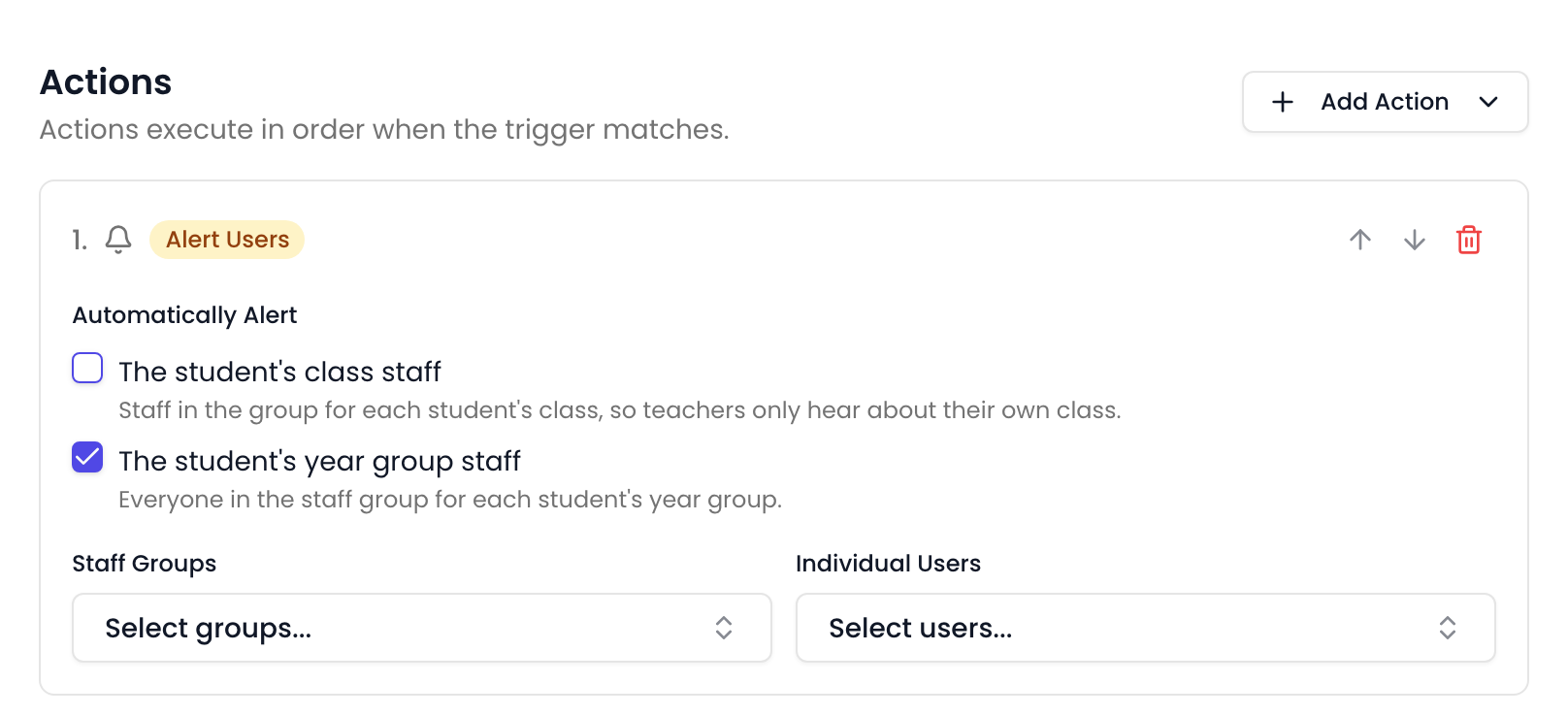
Build a rule from the criteria that matter — category, location, student group, SEN or Pupil Premium status — then choose what happens. Alert your safeguarding leads, alert a child's class or year group staff, or notify named colleagues. Recipients are worked out when the incident is recorded, so class moves and staffing changes are picked up automatically.
- Trigger on student incidents, staff incidents, or events being added
- Alert DSLs, class and year group staff, staff groups, or named users
- A setup wizard builds class and year group alerting for your whole school
- Working schedules hold out-of-hours emails until the next working morning
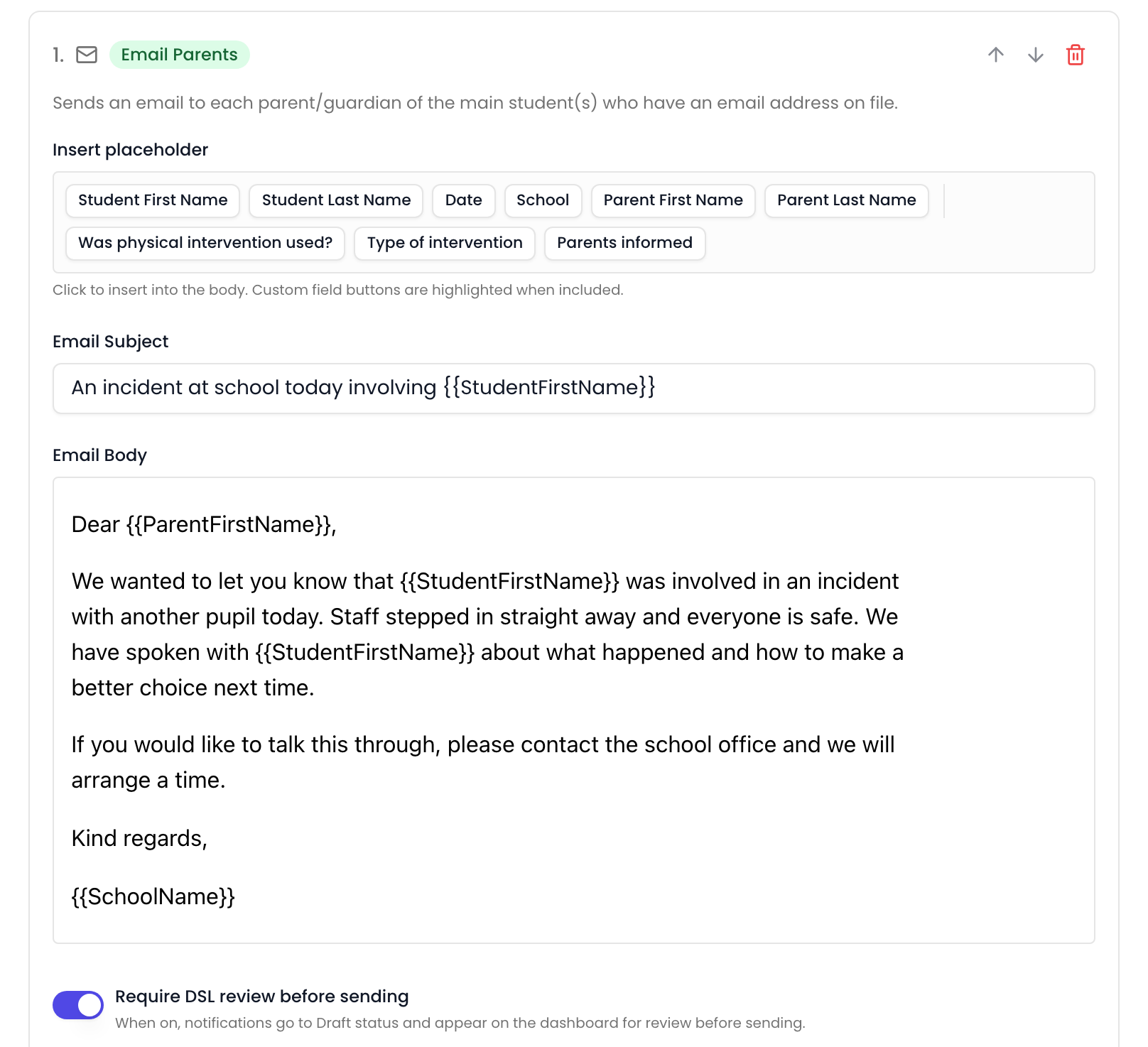
Parent emails — prompt and consistent
Notify parents automatically when an incident meets your criteria, using templates with placeholders. Turn on DSL review to hold sensitive messages as drafts for a senior leader to approve first.
- Templates with placeholders for the child, the date and your school
- Optional DSL review holds messages as drafts until approved
- Include your own custom field values in the message
- Drafts are grouped by incident on the dashboard for a quick check
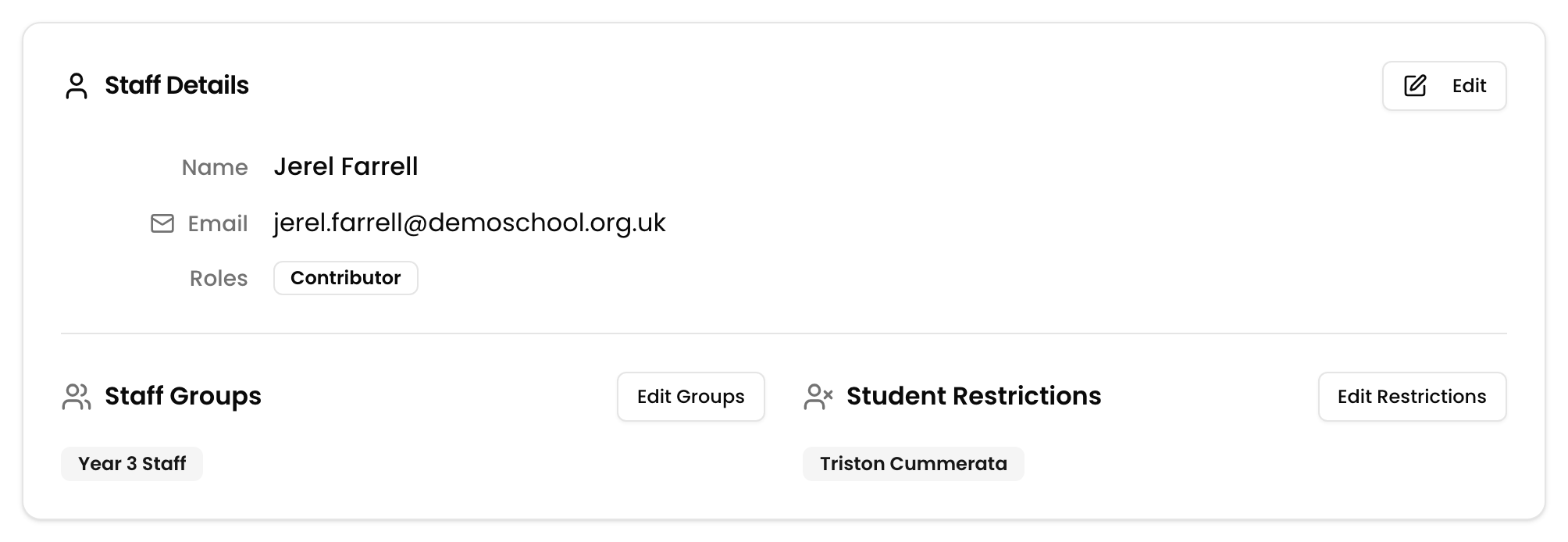
Keep the most sensitive cases tightly held
Some cases need a smaller circle. Restrict an individual member of staff from a particular child, hide a whole category behind a rule, or lock down a single incident by hand. Excluded staff see no sign the record exists — and your safeguarding leads always keep full visibility.
- Restrict a staff member from a child where there is a clear reason
- Rules apply to matching incidents past and future, and lift automatically when they stop matching
- Lock down a single incident by hand when a rule is too broad
- DSLs, Deputy DSLs and Owners always retain full visibility
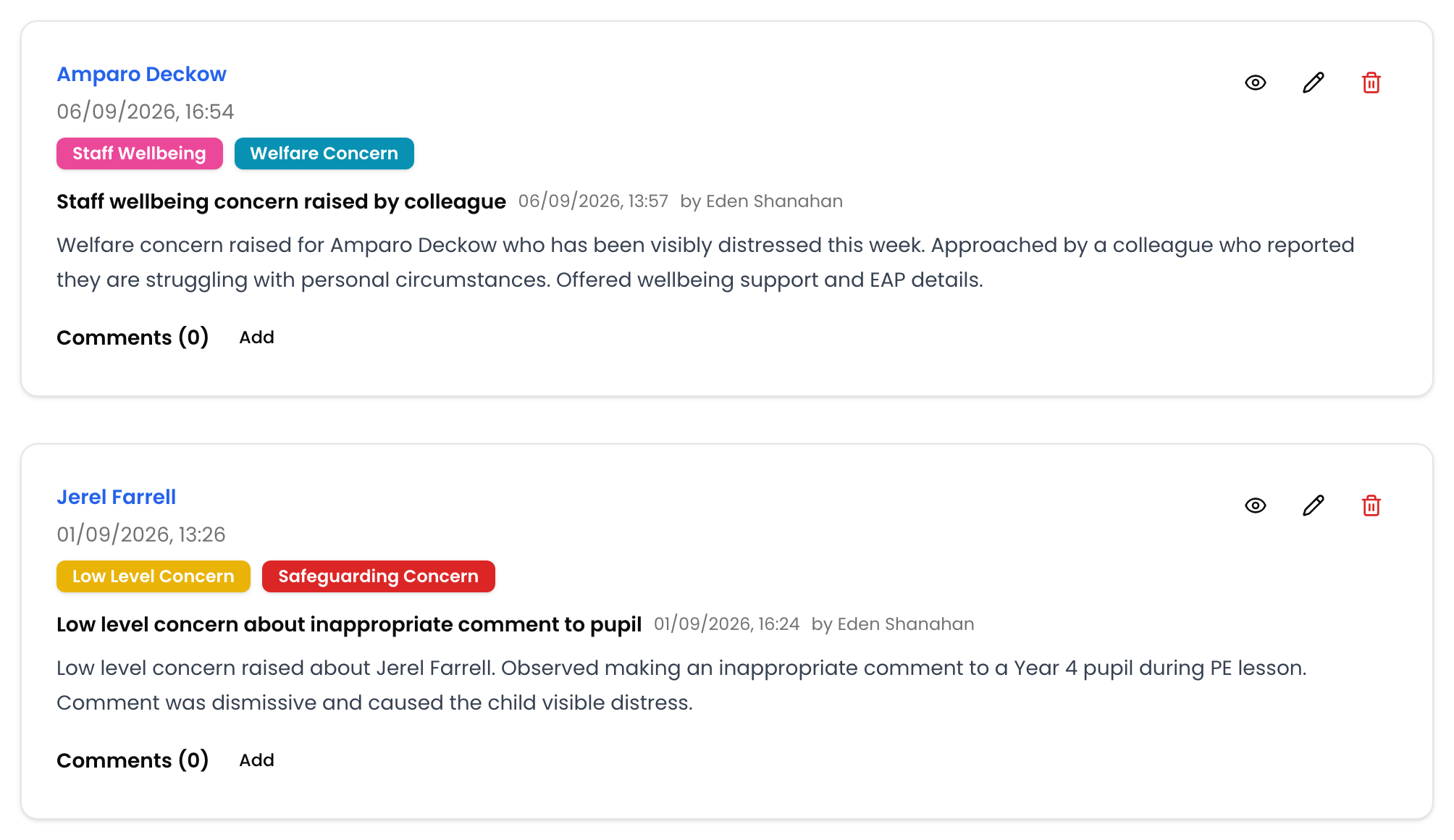
Manage Staff Concerns
Confidential staff records, handled properly
Staff-related concerns require a different level of sensitivity. Signal provides a dedicated, access-controlled system for recording and managing staff incidents — with built-in safeguards to protect confidentiality.
Confidential recording with automatic self-exclusion
Record staff concerns with the same AI-enhanced workflow as student incidents — automatic categorisation, short-term actions, and policy-aligned suggestions. Staff who are the subject of an incident are automatically excluded from viewing it, protecting the integrity of the process.
- Dedicated staff incident system, separate from student records
- Automatic self-exclusion — subjects cannot view their own incidents
- Distinguish between main and linked staff members
- AI-enhanced categorisation, actions, and next steps
- Full audit trail with edit history and accountability
- Relationship graphs show connections across incidents
See it for yourself
Start a free demo with a fully populated school. No booking, no sales call.
Closed AINever used for trainingProcessed in the UKNot shared with OpenAI