
Explore the documentation
Getting Started
Log in, set up your school, connect your MIS, and record your first incident.
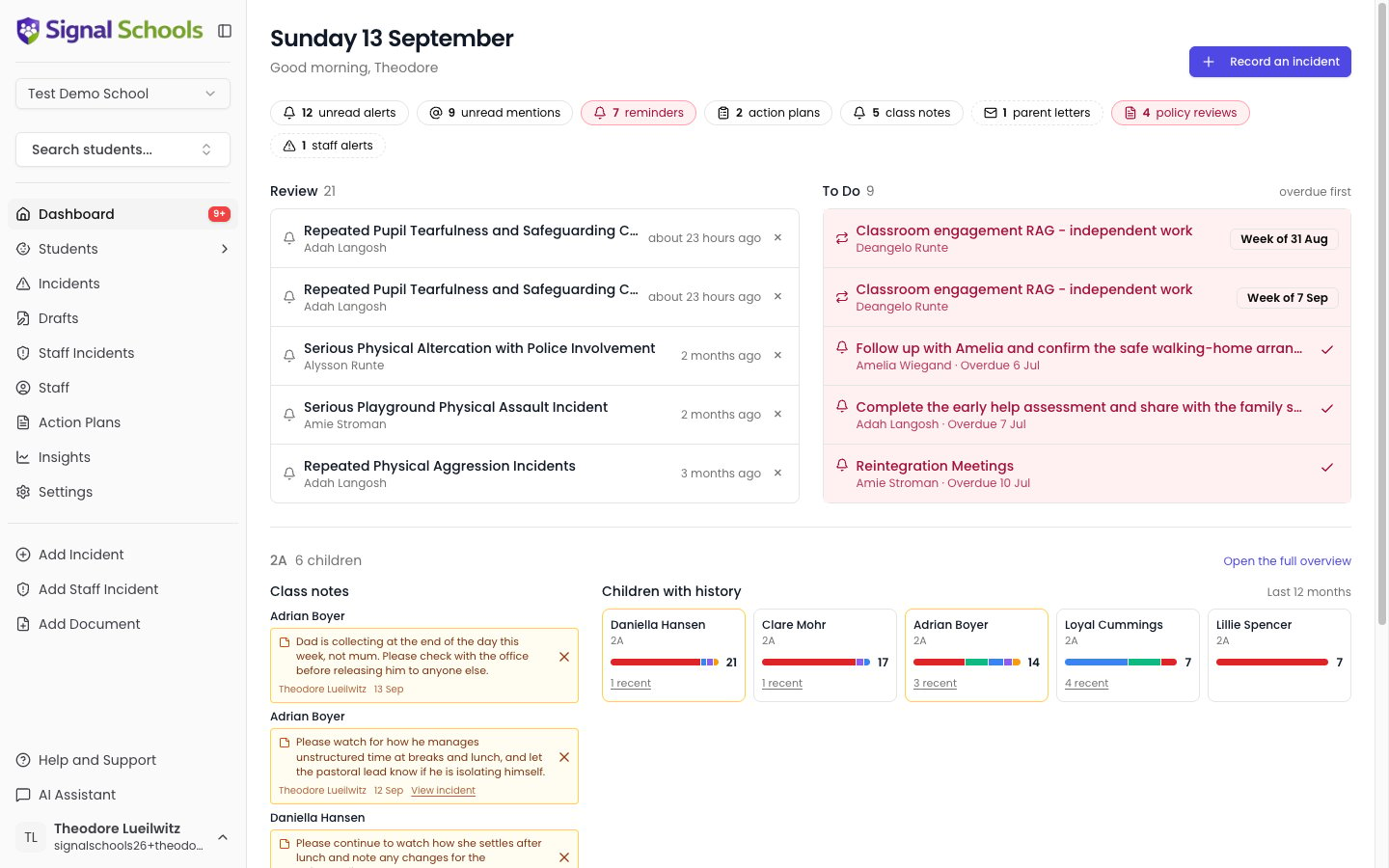
Dashboard
Your central hub for mentions, alerts, drafts, upcoming reviews, and quick stats.
Students
Manage student records, contacts, groups, and restrictions.
Incidents
Record and manage safeguarding concerns about students.
Staff Incidents
Record sensitive concerns or allegations involving staff members.
Policies
Upload safeguarding policies and let AI match them to incidents automatically.
Action Plans
Create structured intervention plans with scheduled monitors and AI-assisted reviews.
Workflows
Automate your safeguarding response — alert staff, email parents, and restrict visibility.
Documents
Upload and manage documents linked to students or incidents, with AI analysis.
Transfers
Securely transfer safeguarding records when students move between schools.
AI Features
Explore how AI analyses incidents, generates action plans, and powers the AI Assistant.
Insights & Reporting
Visualise safeguarding trends with interactive charts, filters, and exportable reports.
Staff & Permissions
Manage staff accounts, roles, and Staff Groups for alert routing and visibility exclusions.
More Features
Parent Mode, multi-academy trust support, subject access requests, and audit logs.
Help
Frequently asked questions and troubleshooting guides.