
What are subject access requests?
Under the General Data Protection Regulation (GDPR), individuals have the right to request a copy of all personal data held about them. Schools must respond to these requests within 30 days. Signal’s Subject Access Request (SAR) feature automates what would otherwise be a labour-intensive manual process.This feature requires Deputy DSL or above.
How it works
Signal guides you through a 4-step process to collect, redact, and export the requested data.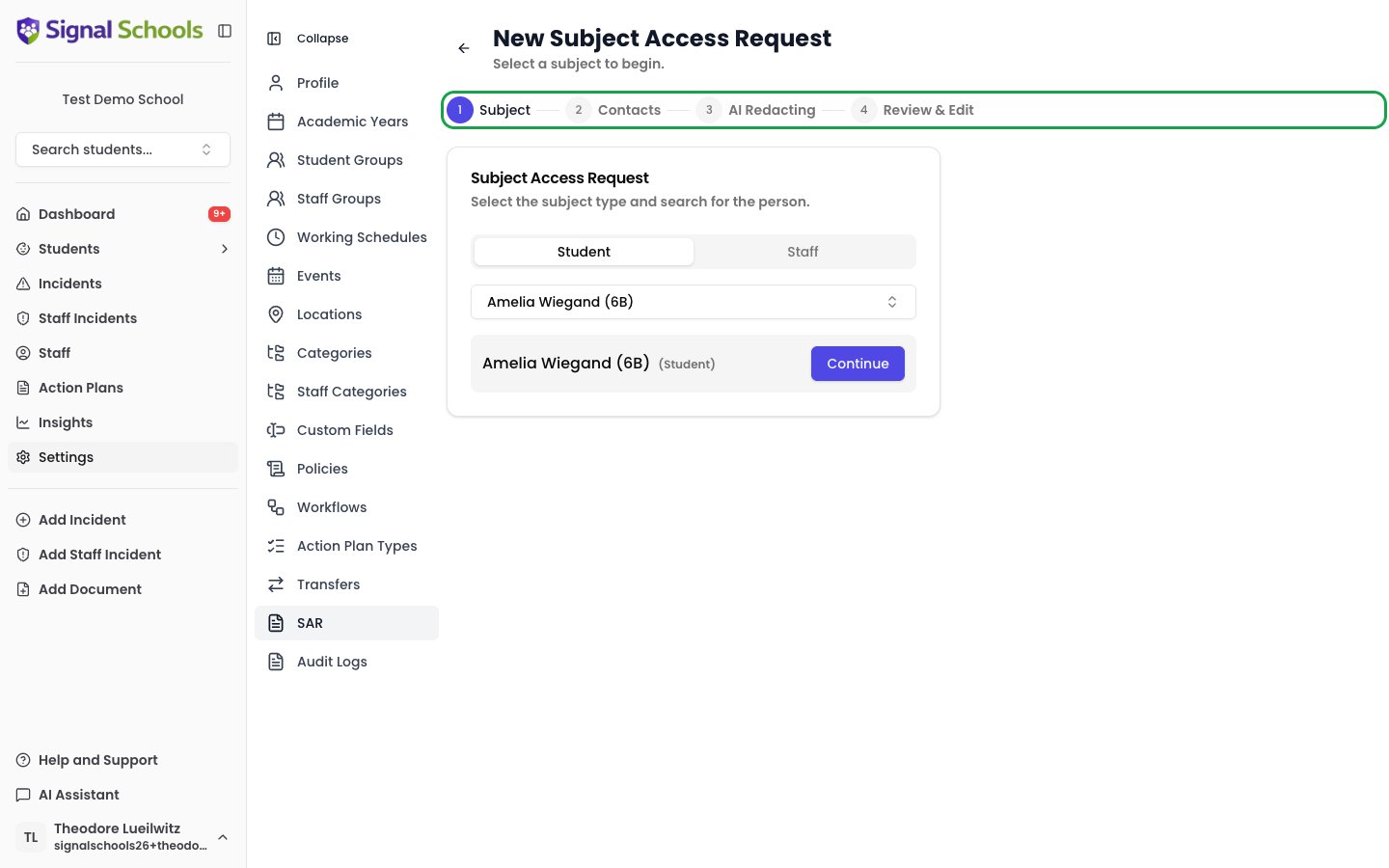
1
Select subject
Go to Settings > SAR and start a new request. Select the individual the request relates to — either a student or a staff member.
2
Select contacts
Choose which contacts to include in the request. This step applies to student SARs only — it is skipped for staff SARs.
3
AI Redacting
Signal’s AI identifies and suggests redactions of sensitive third-party information — such as other children’s names, staff details, or confidential case notes from other individuals. Suggested redactions are highlighted for your review.
4
Review & Edit
Review the collected data and approve or modify the AI-suggested redactions. You can accept, adjust, or reject individual redactions to ensure the package is complete and compliant. When you are satisfied, export the final redacted data package ready to send to the requester.
What is included?
A SAR data package typically includes:- All incidents where the individual is named
- Documents attached to the individual’s profile
- Comments and communications mentioning the individual
- Activity and access logs
- Any other personal data held within Signal
Important considerations
- AI redaction is a suggestion — always review redactions carefully before exporting
- Third-party data must be redacted to protect other individuals’ privacy
- Exemptions may apply — some data may be exempt from disclosure (consult your data protection officer)
- Keep a record of all SARs processed for compliance purposes