
What document analysis does
Signal’s AI does two things with every document it can read:- Reads the document — including typed PDFs, scanned documents, and photographs of handwritten notes. The text it reads is not shown to you directly, but it is what the summary is written from, and it is what both the AI Assistant and the incident search read when looking for a term.
- Writes a summary — a concise overview of the key information, so you can grasp the main points without reading the whole document.
Analysed documents become searchable
Once Signal has read a document, its contents are searchable everywhere you would look for an incident:- The incident search bar — searching the incident list matches text inside attached files, not just the incident’s own description and comments. See Managing Incidents.
- The AI Assistant — you can ask about a single student, or ask a whole-school question such as “which incidents mention the LADO?” and the Assistant will search attachments across the school. When an answer comes from a file, it says so and links the document.
Searching respects permissions exactly as the rest of Signal does. A document is only as visible as the incident or student it is attached to: if you cannot see the incident, its attachments will never appear in your search results or in an Assistant answer. Student restrictions apply too, including for safeguarding leads.
When analysis is especially useful
Document analysis is most valuable when you are dealing with:- Scanned handwritten notes — staff observation notes, handwritten letters from parents, or meeting notes that would take time to decipher.
- Lengthy reports — multi-page reports from external agencies, educational psychologist assessments, or social services documentation.
- External agency correspondence — letters and reports from social services, CAMHS, police, or other organisations that often contain dense, formal language.
- Historical records — older documents that may be scanned copies or photocopies with reduced legibility.
How to use document analysis
1
Upload a document
Upload a file to a student’s document library or attach it to an incident. Signal accepts PDFs, images, and common office formats.
2
Analysis runs automatically
Once the file is uploaded, Signal’s AI begins reading it in the background. A spinner appears beside the document while this happens — you can carry on working and come back to it.
3
Read the summary
When analysis finishes, a View summary button appears beside the document. Click it to open the summary in a panel at the side of the screen.
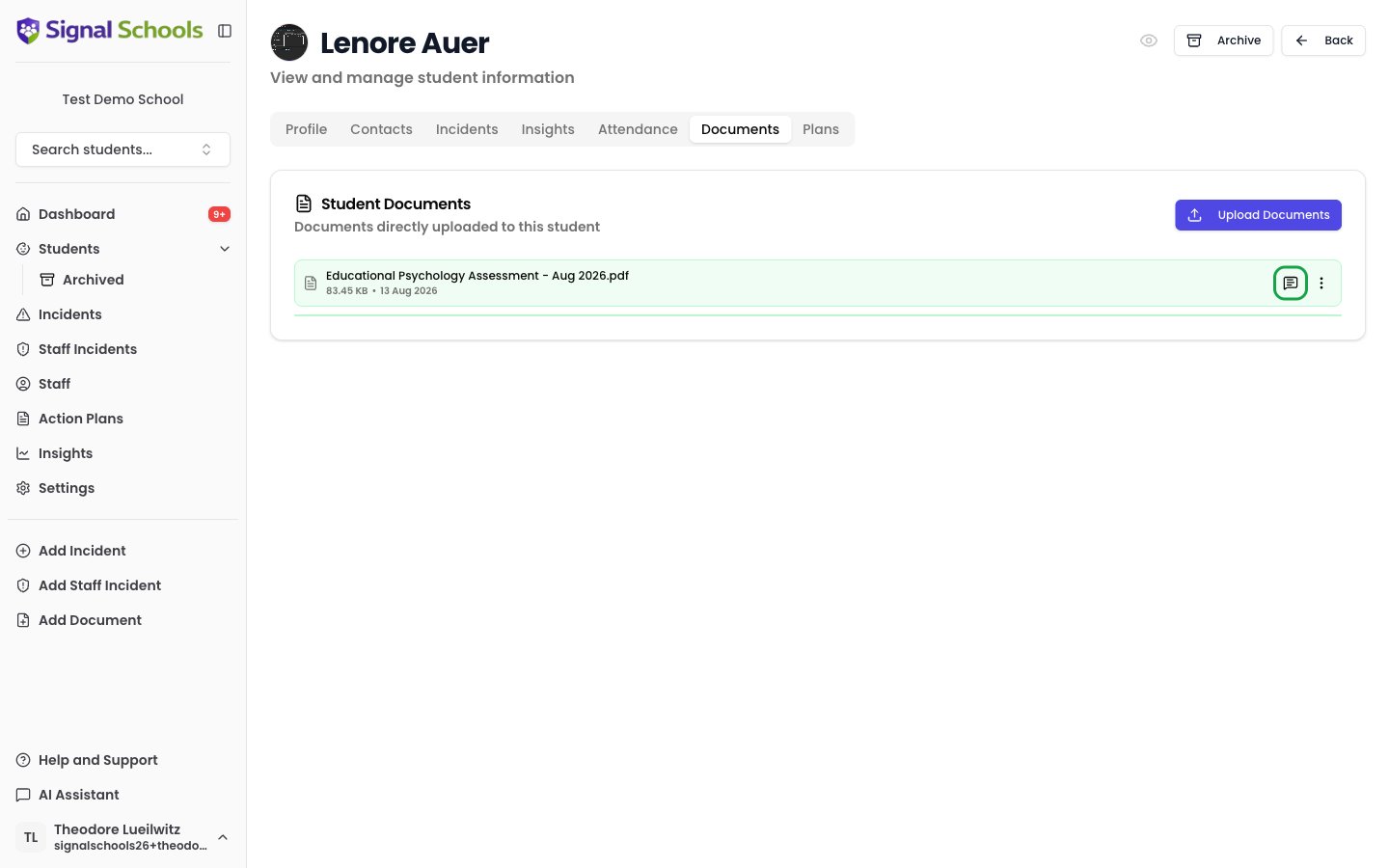
Viewing the summary
Click View summary beside any analysed document to open it. The panel shows the document’s name and the AI’s summary of its key points, findings, or recommendations.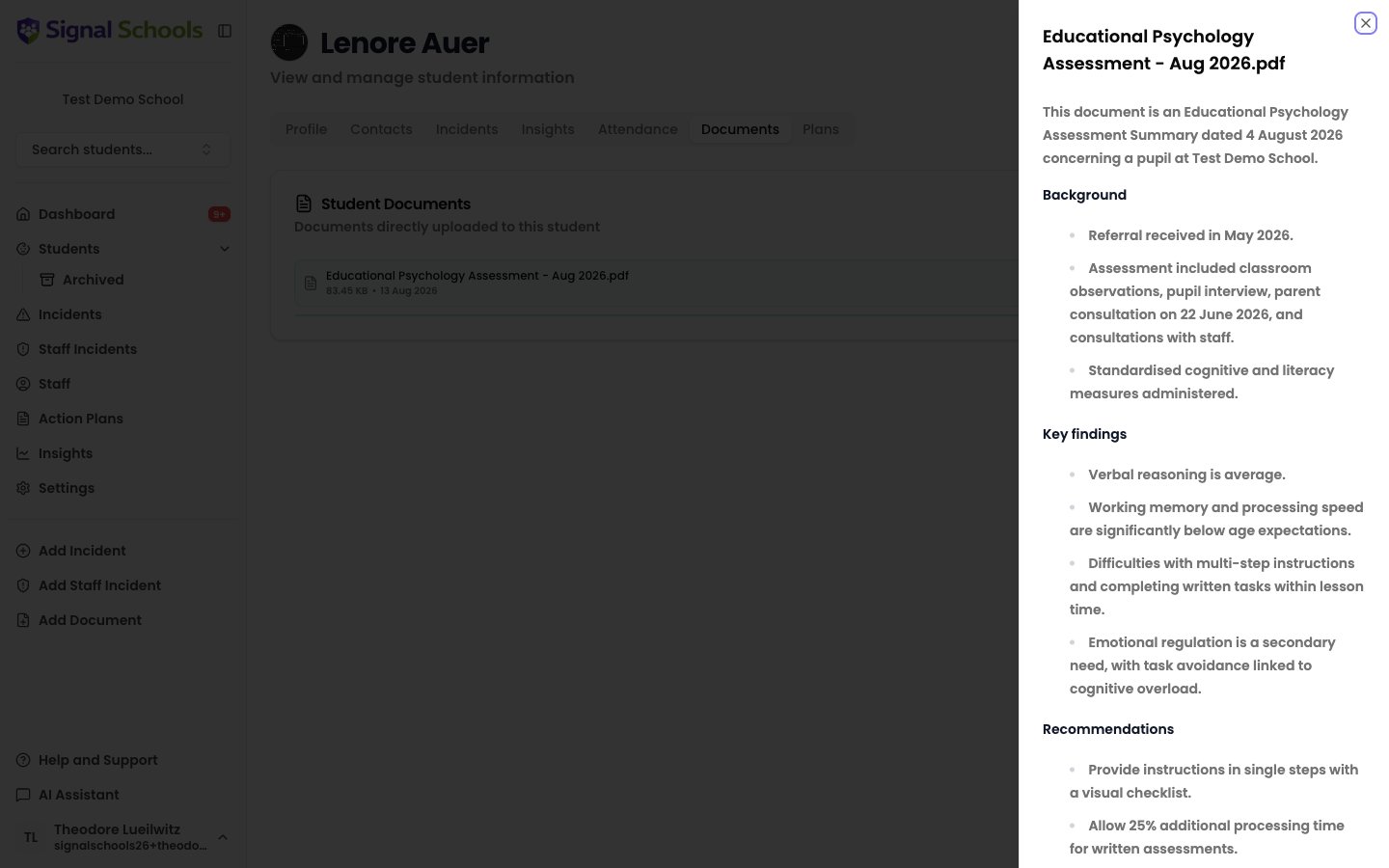
Correcting a summary
If a summary is wrong, thin, or missing the point, you can rewrite it yourself. Open the ⋮ menu beside the document and choose Edit summary. You can also rename the document here.Editing a summary changes what you and your colleagues read. It does not change what the AI Assistant searches — that still comes from the document’s original text.
When analysis is not available
A small icon beside the document tells you what happened. Hover over it to see the message. In every case the original file is unaffected — you can still open, download, and share it as normal.- Still working — a spinner means the AI is still reading the document. If it is taking unusually long, the icon turns amber with “Summary generation is taking longer than expected. Check back later.”
- Unsupported document types — some file types cannot be read. You will see “Document type not supported for analysis”. Older Word, Excel, and PowerPoint files (
.doc,.xls,.ppt) are not analysed — save them in the newer format before uploading if you want a summary. - Analysis failure — occasionally the AI cannot read a document, most often because it is password-protected, damaged, or a very poor-quality scan. You will see “Summary generation failed”. Use Edit summary to write your own summary in its place.
AI analysis is a tool to help you work more efficiently. Always verify important details against the original document, especially when making safeguarding decisions.