
You need the Deputy DSL, DSL, or Owner role to mark a policy as reviewed.
Setting up the review schedule
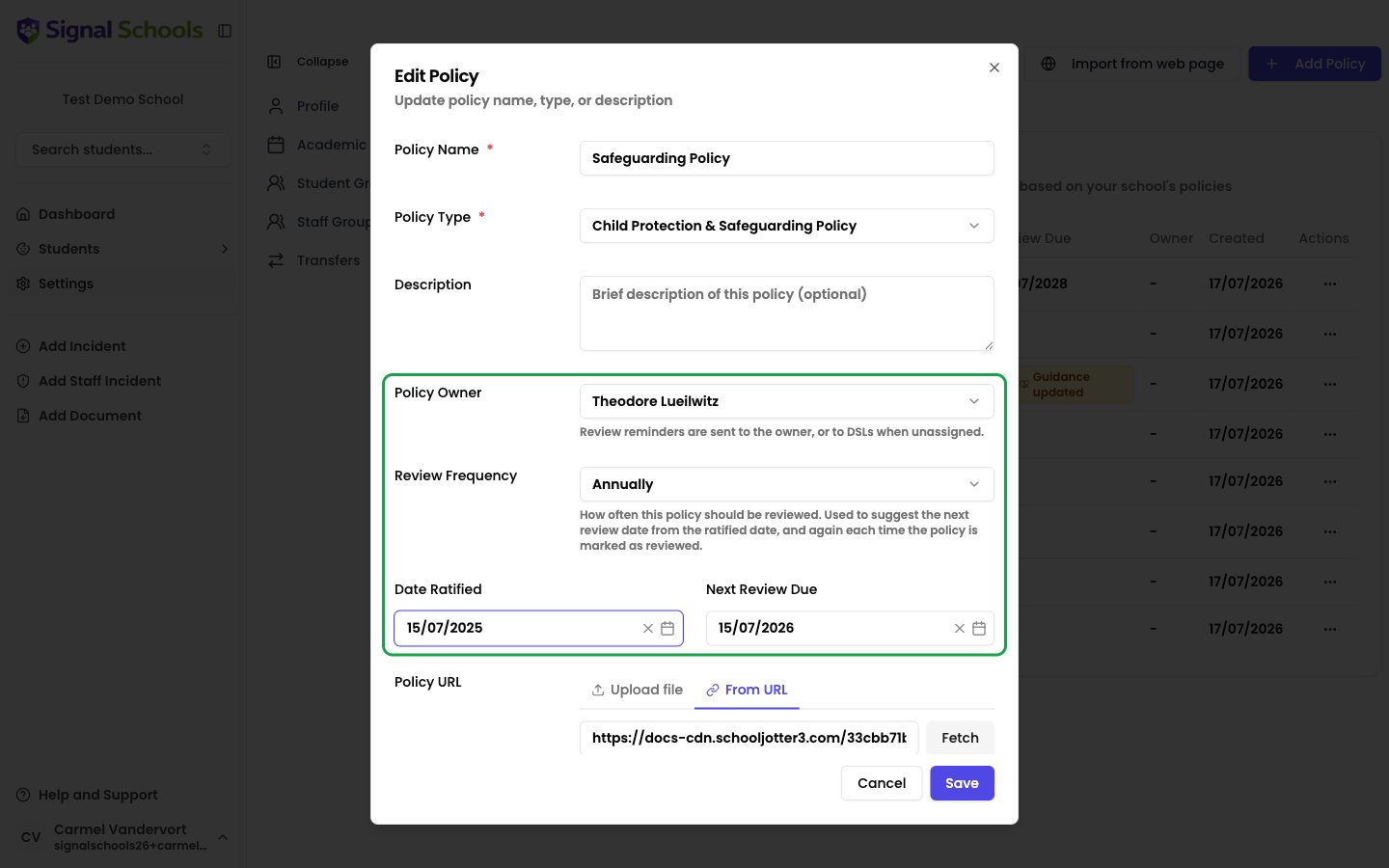
When you add or edit a policy, four fields control its review schedule:- Policy Owner — the staff member responsible for keeping the policy up to date. Review reminders go to the owner. Leave this set to DSLs and reminders go to your safeguarding leads instead.
- Review Frequency — how often the policy should be reviewed: Annually, Every 2 years, or Every 3 years.
- Date Ratified — when the current version of the policy was approved.
- Next Review Due — when the next review is due.
Review status badges
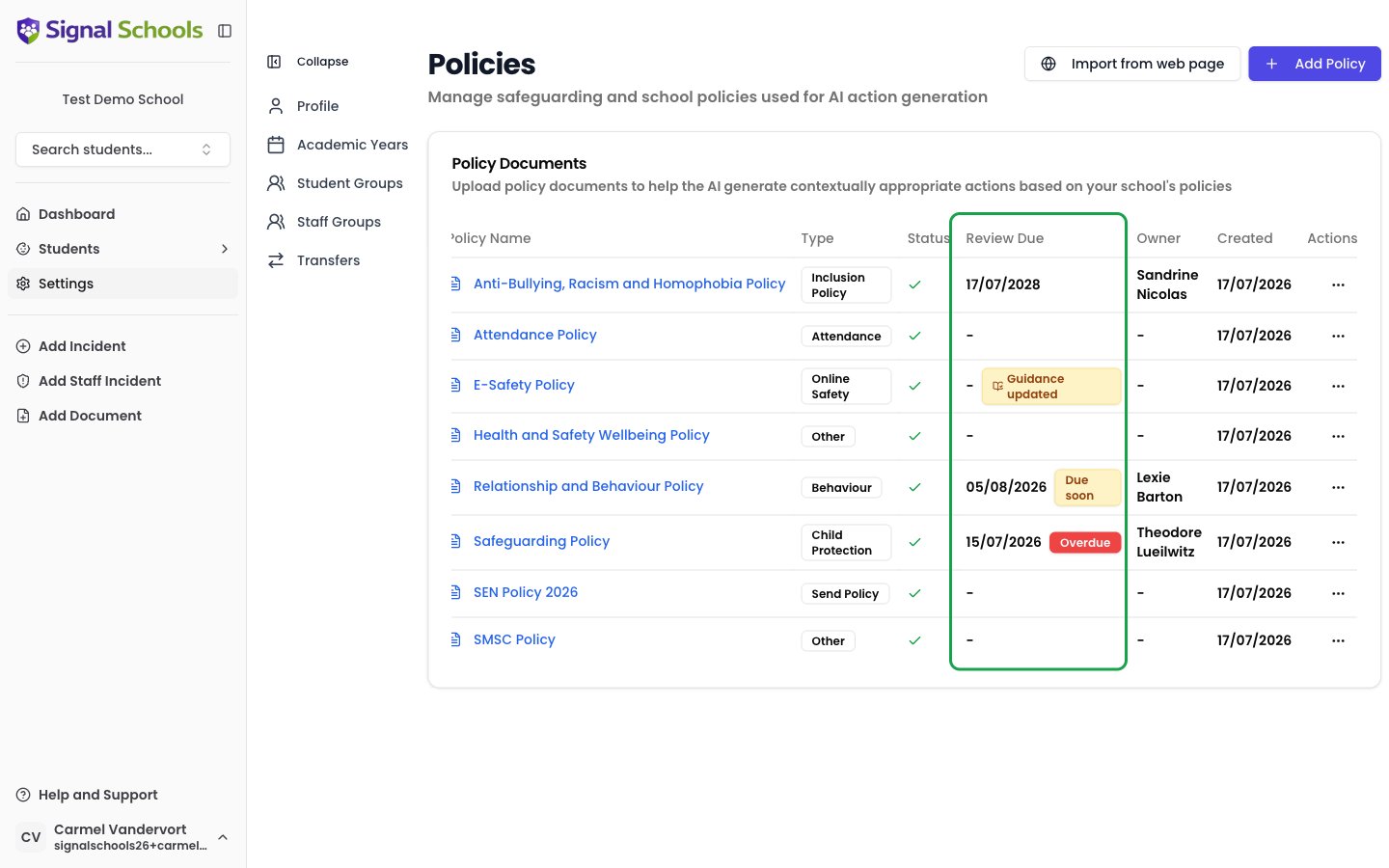
The Review Due column on the policies page (Settings → Policies) shows each policy’s next review date alongside a status badge:- Due soon (amber) — the review date is within the next 30 days.
- Overdue (red) — the review date has passed.
- Guidance updated (amber, with a book icon) — government guidance relevant to this policy has changed since it was last reviewed, so a review is recommended even if the date is not yet due. This badge stays until the policy is marked as reviewed, even if the guidance update alert has been dismissed.
Where reminders appear
Dashboard
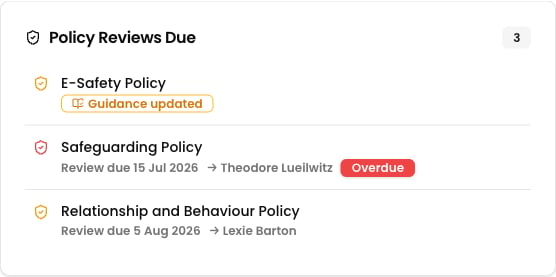
The Policy Reviews Due section on the dashboard lists policies that are due soon, overdue, or flagged for a guidance update, along with their review date and owner. Policies listed only because of a guidance update drop off once that alert is dismissed — those that are due or overdue stay.
Daily digest email
The daily digest includes a count of policies due for review, with a link straight to the policies page.
Marking a policy as reviewed
When a review is complete, record it in Signal so the badges clear and the next review date is set.1
Open the actions menu
Go to Settings → Policies, open the ⋯ actions menu on the policy’s row, and choose Mark as reviewed.
2
Confirm the dates
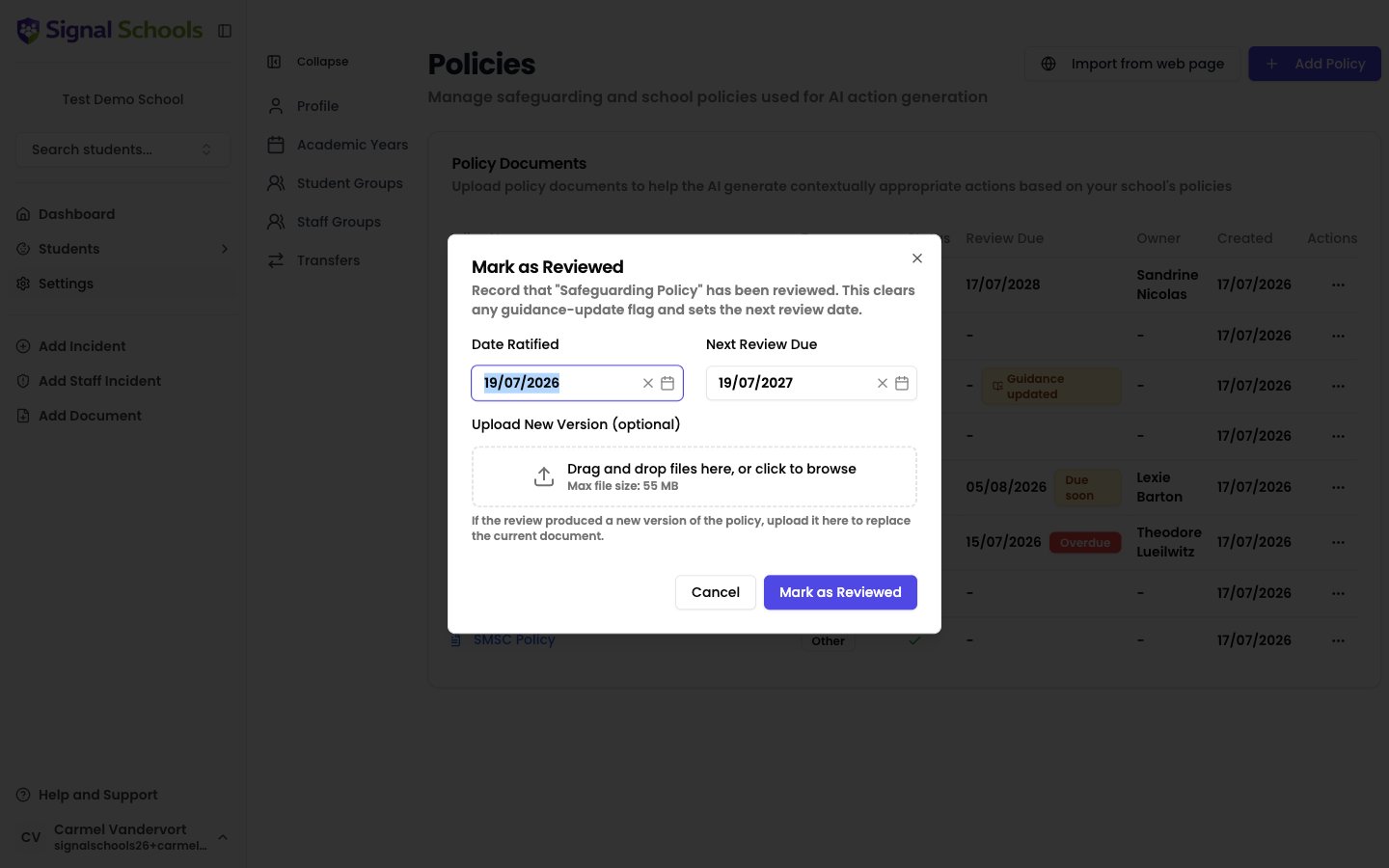
The dialog pre-fills the Date Ratified with today’s date and suggests the Next Review Due date from the policy’s review frequency. Adjust either if needed.
3
Upload a new version (optional)
If the review produced a revised policy document, upload it in the Upload New Version field. Signal replaces the current document and re-processes it so AI matching uses the new wording.
4
Save
Click Mark as Reviewed. The review badges clear, any Guidance updated badge is removed, and the next review date is set. Marking as reviewed is the only thing that clears the Guidance updated badge.
Running an AI review does not mark a policy as reviewed. The AI review is a tool to help you carry out the review — completing it is always a human decision, recorded with Mark as reviewed.