
Child protection status is sensitive. Only staff with the Deputy DSL role or above (Deputy DSL, DSL, and Owner) can view, filter, or edit it. It is hidden from everyone else, including from the AI assistant.
The four statuses
Child Protection Plan
The child is subject to a Child Protection Plan.
Child in Need
The child is supported under a Child in Need plan.
Early Help
The child is receiving targeted early help.
Monitoring
The child is being kept under review.
Where it comes from
If your school is connected to a supported MIS, child protection status is imported automatically alongside your other student data — no data entry needed. Signal supports it from Arbor, Bromcom, and Wonde, and refreshes it on every sync, so the status in Signal always reflects your MIS.Your MIS may not hold a child protection status for every child — many schools only record it for the children it applies to. Where your MIS has nothing recorded, the status shows as None.
Where it appears
Child protection status sits on the student profile, in the details section next to SEN status, Pupil Premium, and In Care status. For privileged staff it appears as a clear badge; for everyone else it is not shown at all.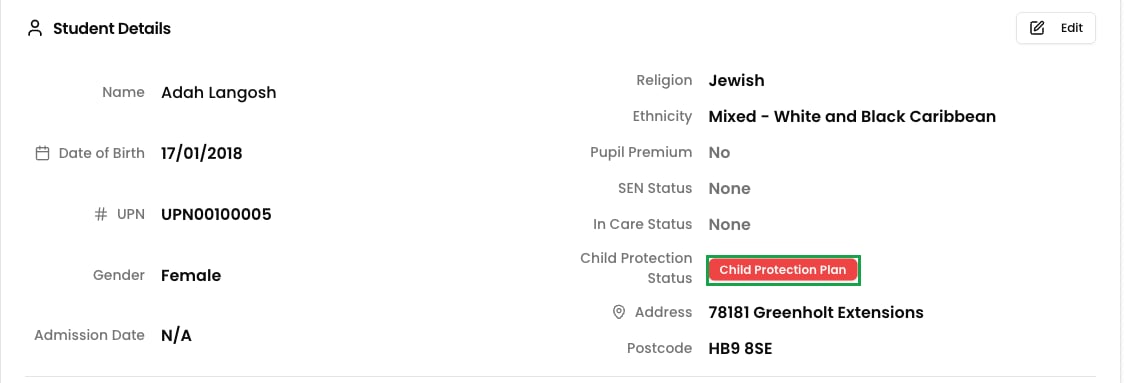
Filtering your roll by status
On the Students page, safeguarding leads can filter the whole student list by child protection status — for example, to see every child currently on a Child Protection Plan, or everyone receiving Early Help. Combine it with other filters, such as year group, to focus on a particular cohort. The filter only appears for staff with the Deputy DSL role or above. It is not shown to other staff, and the underlying data is never sent to them.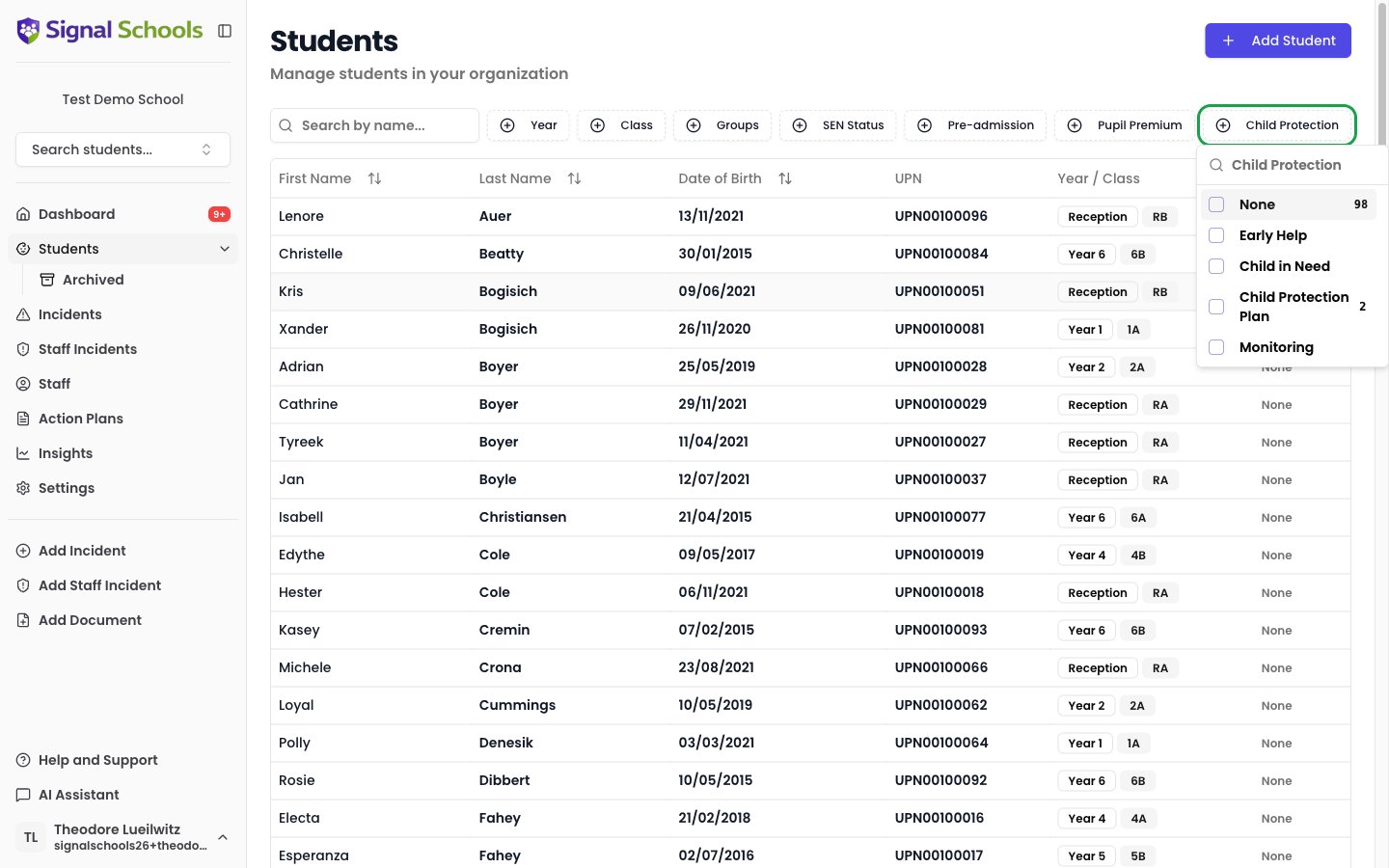
Setting it manually
For students who are not synced from your MIS, your safeguarding team can set the status by hand:1
Open the student's profile
Find the student on the Students page and open their profile.
2
Edit the student
Click Edit and choose the appropriate Child Protection Status — or leave it as None.
3
Save
Click Save to apply the change.
For students synced from your MIS, child protection status is managed in your MIS and is read-only in Signal — just like SEN and In Care status. This keeps your MIS as the single source of truth and prevents the next sync from overwriting a manual change. To change a synced child’s status, update it in your MIS.
Kept private in the AI assistant
Because child protection status is sensitive, it is never exposed to staff who should not see it — including through the AI assistant. If a member of staff without the Deputy DSL role or above asks the assistant about a student, their child protection status is left out of the answer.Learn more
Adding & editing students
Add students manually or through MIS sync, and edit their details.
The student profile
See everything on a child’s record, from demographics to their full timeline.