What the digest includes
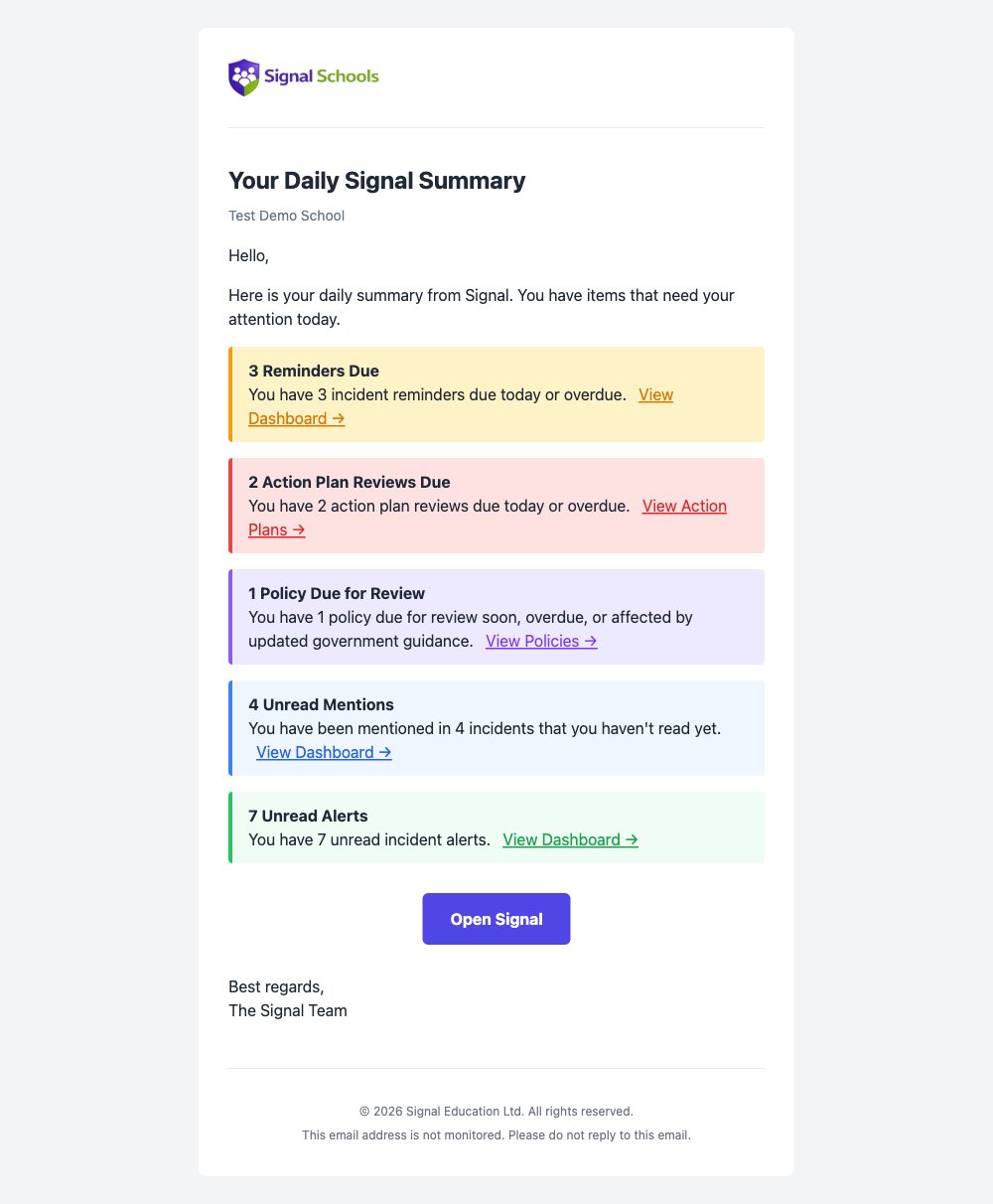
Each digest is personal to you and only includes items where you have something to do. It can summarise:- Reminders due — reminders assigned to you that are due today or overdue. If you are a DSL-level user, this also includes unassigned reminders for your school.
- Action plan reviews — action plan reviews assigned to you that are due today or overdue.
- Learning plan reviews — termly reviews that are due today or overdue on learning plans you wrote.
- Unread mentions — incident mentions where a colleague has tagged you and you have not yet read them.
- Unread alerts — alerts raised for you that you have not yet seen.
- Policies due for review — policies that are due for review soon, already overdue, or affected by updated government guidance.
- New class notes — how many class notes have been written about children in a class you teach since your last digest. The digest gives the count only; open the note to read it.
When it is sent
The digest is sent once each morning, at the start of your working day. It reflects everything outstanding at the time it runs, so it is a reliable start-of-day checklist. Your school’s working schedules decide when it arrives, and whether it arrives at all:- Working days only — you will not receive a digest on a day that is not a working day, so most schools will not get one at weekends.
- Start of your working day — the digest is timed to land as your working day begins, rather than in the early hours.
Working hours can be set for the whole school or for individual staff, so a colleague who works different days to you may receive their digest on different days.
If you work at more than one school
If you belong to more than one school in Signal, you will receive a separate digest for each one, because the items waiting for you are different at each school. Each digest names the school it relates to in the subject line and at the top of the email, and the links inside take you straight into that school.The counts in the digest are a summary. Open Signal to see the full detail and to act on each item — completing a reminder, reading a mention, or reviewing an action plan.
Turning the digest off
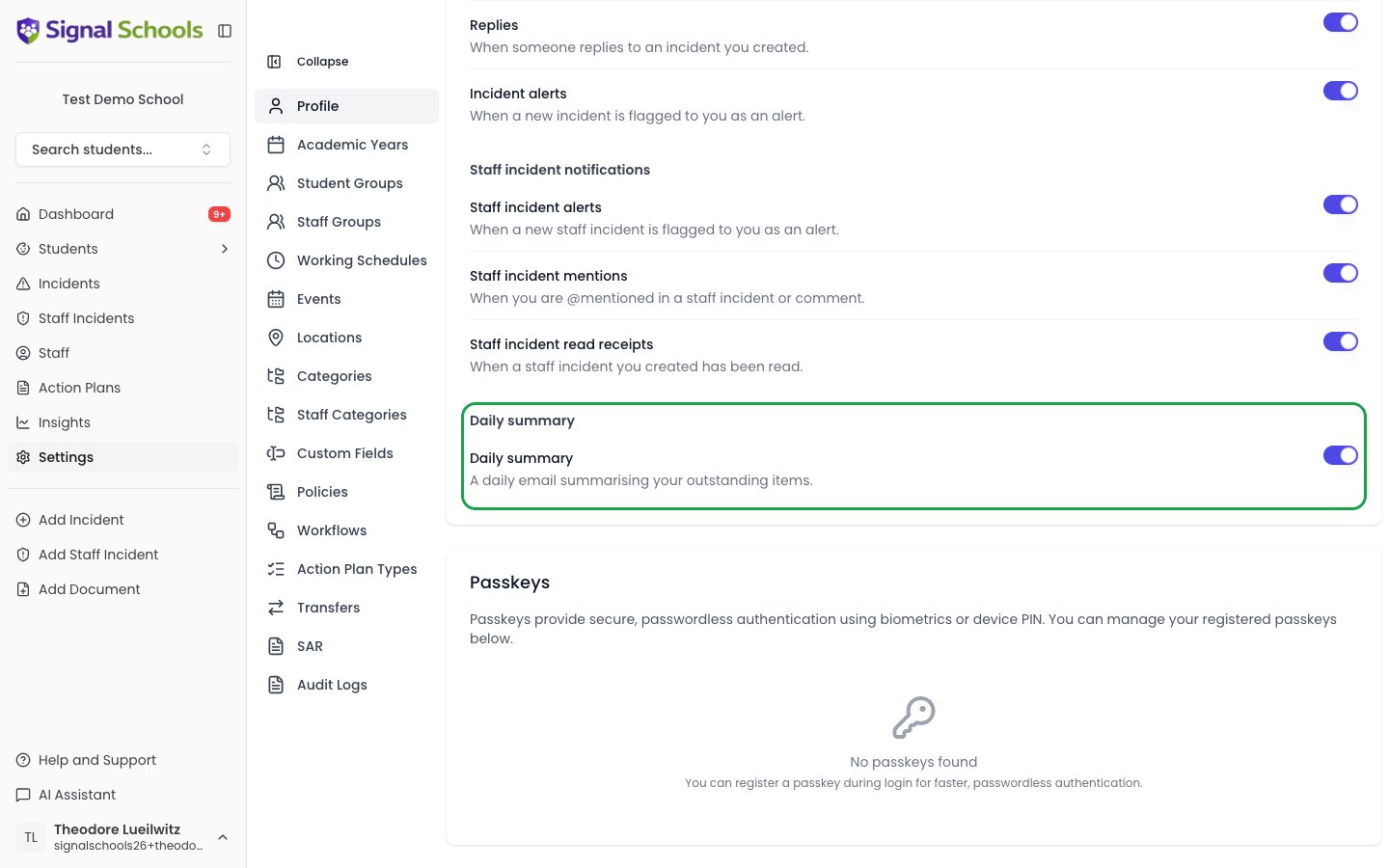
If you would rather not receive the daily digest, you can switch it off from your notification settings. Everything it summarises stays available in Signal — you just stop the morning email.