
What is trust support?
Signal supports multi-academy trusts (MATs), where a central trust body oversees multiple schools. Trust-level staff can access more than one school from a single account, and manage staff access across the trust’s schools from one place.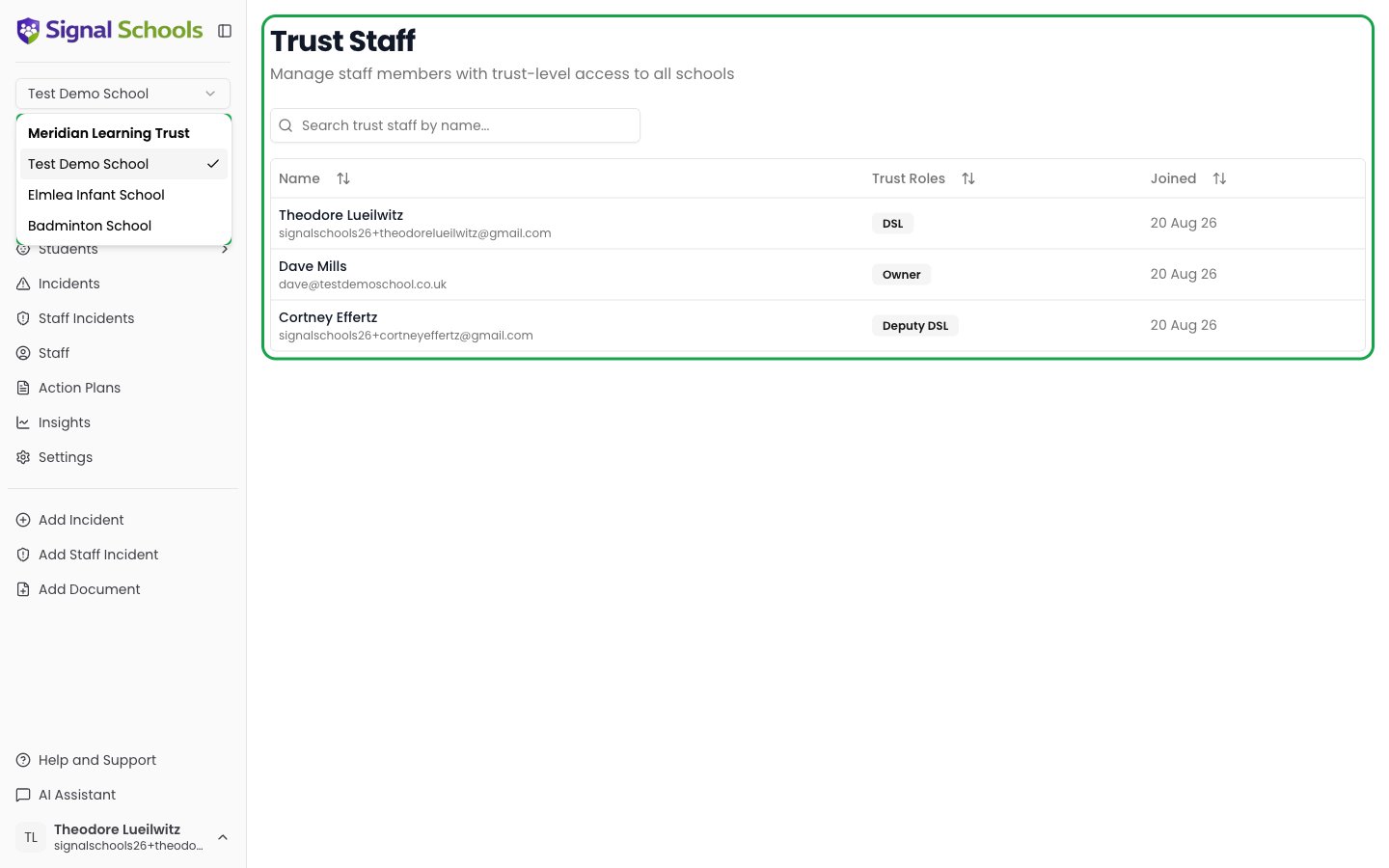
Trust roles
Signal provides five trust-level roles, using the same names as the school-level roles. A trust role controls which schools you can reach, and the access you get in each — it does not give you a combined view of safeguarding data across the trust. Someone can hold more than one trust role.A trust role acts as your role in every school in the trust unless you already have your own role at that school, in which case your school-level role applies instead. So a trust DSL is a DSL at each trust school, but if they are an Owner at their home school they stay an Owner there.
Trust roles are assigned by the trust administrator. Contact your trust lead if you need trust-level access.
What you can do inside any given school is always decided by your school-level role there — see Dual-role access below.
Dual-role access
Staff can hold both a trust role and school-level roles at the same time. These two layers work together:- A trust role decides which schools you can open, and the access you get at each one.
- A school-level role takes precedence at any school where you hold one.
How trusts work
Each school within a trust operates independently with its own data, students, incidents, and settings. Trust-level access sits on top of that without changing how individual schools use Signal.Cross-school staff management
Trust support in Signal centres on a single page: Trust Staff. From there you can see the staff who have access across the trust’s schools, and manage which of those schools each person can access. There is no combined cross-school incident view and no trust-wide safeguarding reporting — Signal does not roll several schools’ incidents into one list or one set of figures. What you get instead is quick movement between schools. The school switcher at the top of the sidebar groups every school in the trust under the trust’s name, so you can jump from one to the next without signing out. Each school opens on its own data, and what you can do there is governed by your school-level role.Accessing trust features
If you have the trust Owner role, the Trust Staff option appears in your sidebar navigation. This gives you a centralised view of staff members across all schools in your trust.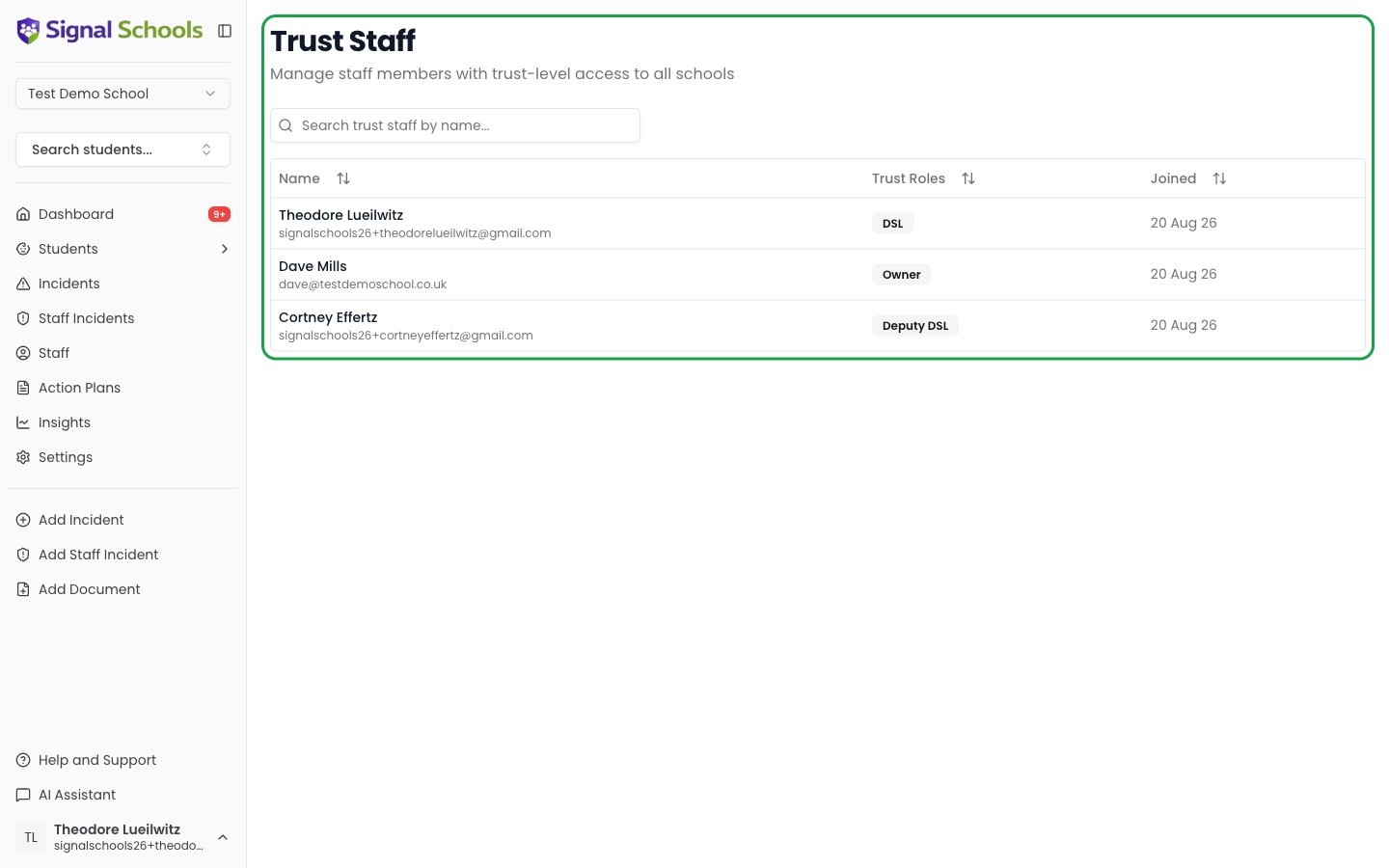
Individual school independence
Even within a trust, each school maintains full control over its own:- Student records and incidents
- Policies and settings
- Categories, locations, and events
- Alert rules and working schedules
- Staff roles within that school