
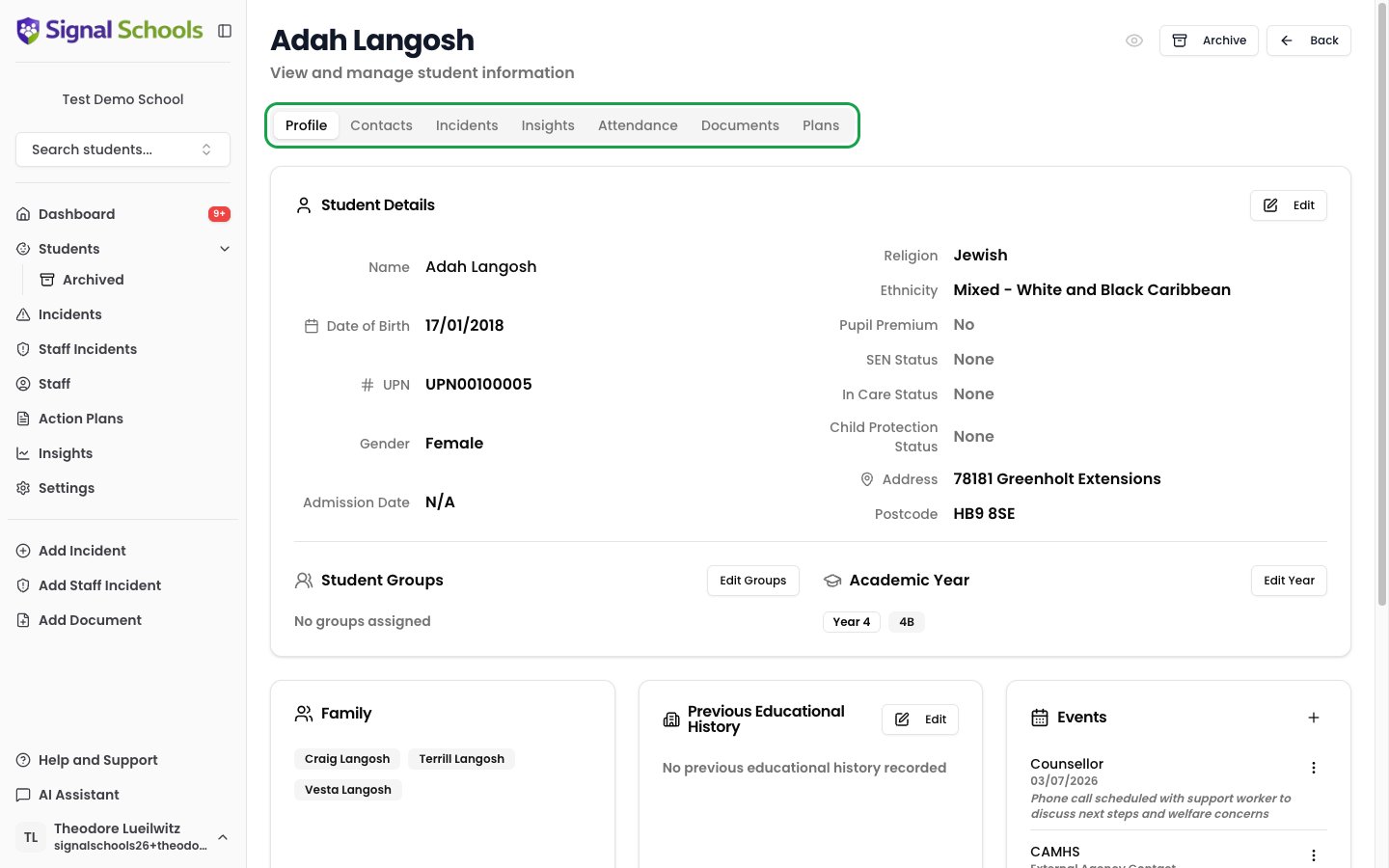
What a student profile contains
Each student record includes:- Personal details — name, date of birth, and unique identifiers
- Demographic information — ethnicity, language, and other relevant details
- Year group and class — where the student sits in your school’s academic structure
- SEN status — whether the student has Special Educational Needs
- Pupil Premium status — whether the student receives Pupil Premium funding
- MIS sync status — if connected to an MIS, whether the record is synced automatically
Contacts and guardians
Parents, carers, and other guardians are linked to student records. Each contact includes:- Name and relationship to the student (for example, Mother, Father, Guardian)
- Phone number and email address
- Whether they are a primary contact
Year groups and classes
Year groups represent your school’s academic structure — from Reception through to Year 13. Each year group contains one or more classes (also called forms), such as 7A, 7B, or 8Red. Students are assigned to both a year group and a class. This structure is used for filtering throughout Signal — in incident lists, insights, alert rules, and student searches.Student status
Students can be either active or archived:Active students
Students currently at your school. They appear in all lists, searches, and reports by default.
Archived students
Students who have left the school. Archiving preserves the full safeguarding history while removing the student from active lists. Archived records remain available for transfers or subject access requests.
Archiving a student does not delete any data. Their incidents, documents, and full history are preserved and can still be viewed under Students → Archived. If your school has no MIS connected, you can restore an archived pupil to the active roll.
How students get into Signal
There are two ways to add students to your Signal account:Manual entry
Manual entry
Add students one at a time by entering their details directly. This is useful for small numbers of students or when you need to add someone quickly.
MIS sync (Arbor, Bromcom, or Wonde)
MIS sync (Arbor, Bromcom, or Wonde)
If your school uses Arbor, Bromcom, or Wonde, Signal can sync student data automatically. Names, dates of birth, academic years, classes, contacts, and attendance data are all kept up to date without manual effort. Set up the integration in Settings > Integrations.
Next steps
Adding & Editing Students
Step-by-step instructions for adding students manually or via MIS sync.
Student Groups
Organise students into groups for filtering, alerts, and reporting.
Profile & Timeline
Explore a student’s full safeguarding timeline.