
What are audit logs?
Signal maintains a comprehensive record of all significant actions taken in the system. Audit logs track who accessed a record, who made changes, who exported data, and when each action occurred. Audit logs are primarily used for internal accountability — giving DSLs and school leaders confidence that safeguarding procedures are being followed correctly and that data access is appropriate.This feature requires Deputy DSL or above.
What is logged?
Signal records actions including:- Record access — who viewed a student’s profile, an incident, or a document
- Data changes — who created, edited, or deleted incidents, students, or other records
- Exports — who downloaded or exported data
- Setting changes — who modified categories, locations, rules, or other configuration
- Staff changes — who was added, removed, or had their role changed
- Transfer activity — who sent or received student transfers
Viewing audit logs
1
Navigate to audit logs
Go to Settings > Audit Logs.
2
Filter the results
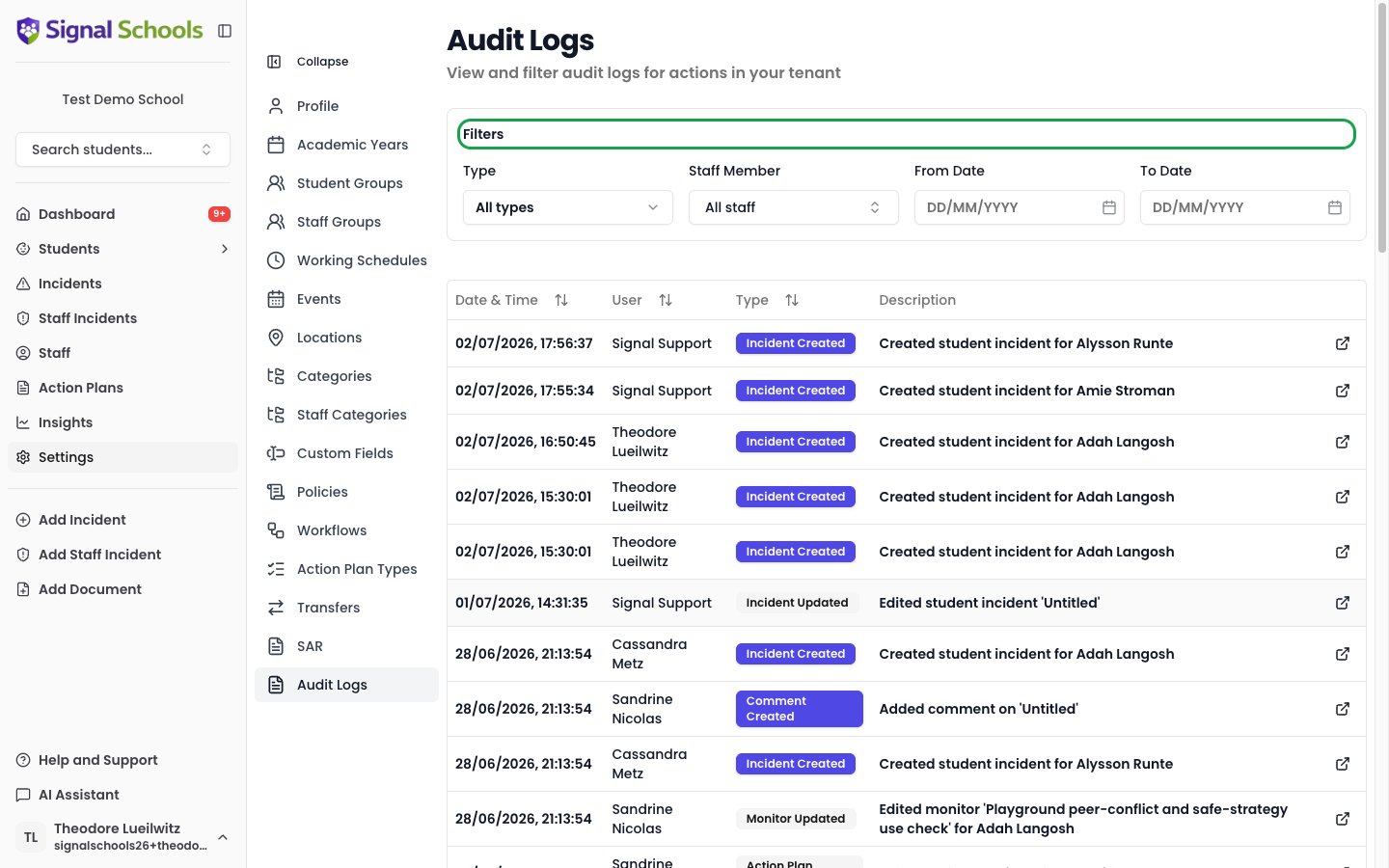
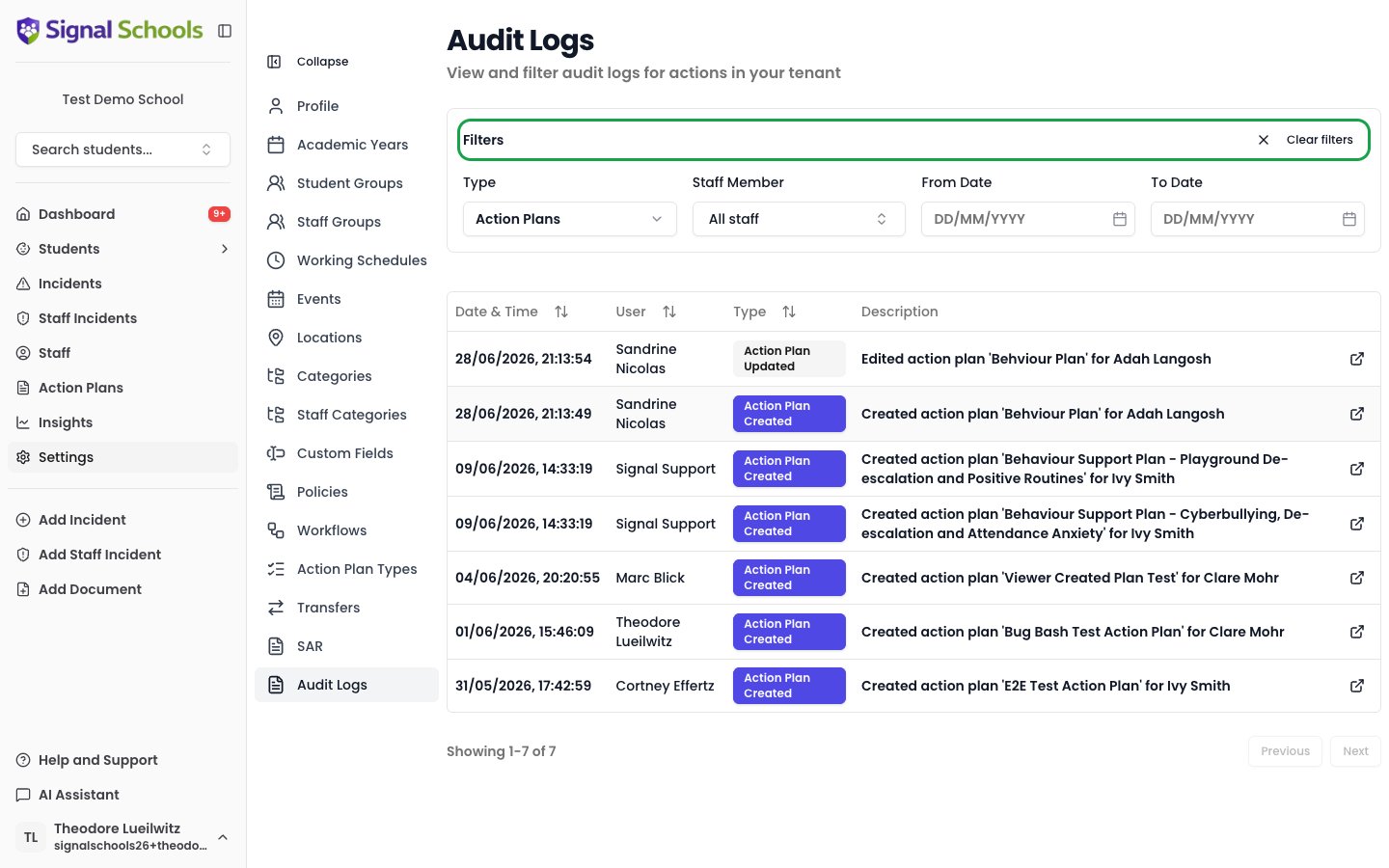
Use the filters to narrow results by staff member, action type, date range, or record type. Record type filters include Student Incidents, Staff Incidents, Comments, Documents, Action Plans, and Monitors — helping you focus on the exact area you need.
3
Review the details
Each log entry shows the staff member, the action taken, what was affected, and the exact date and time. You can click on an entry to navigate directly to the related incident or record.
4
Navigate through results
Results are paginated with Previous and Next controls, so you can browse through large volumes of activity.
Common use cases
- Checking who accessed a sensitive record — verify that only authorised staff viewed a particular student’s file
- Reviewing changes to an incident — see exactly what was modified and by whom
- Monitoring data exports — track who has downloaded student data
- Investigating concerns — if there is a question about data handling, audit logs provide a clear trail