
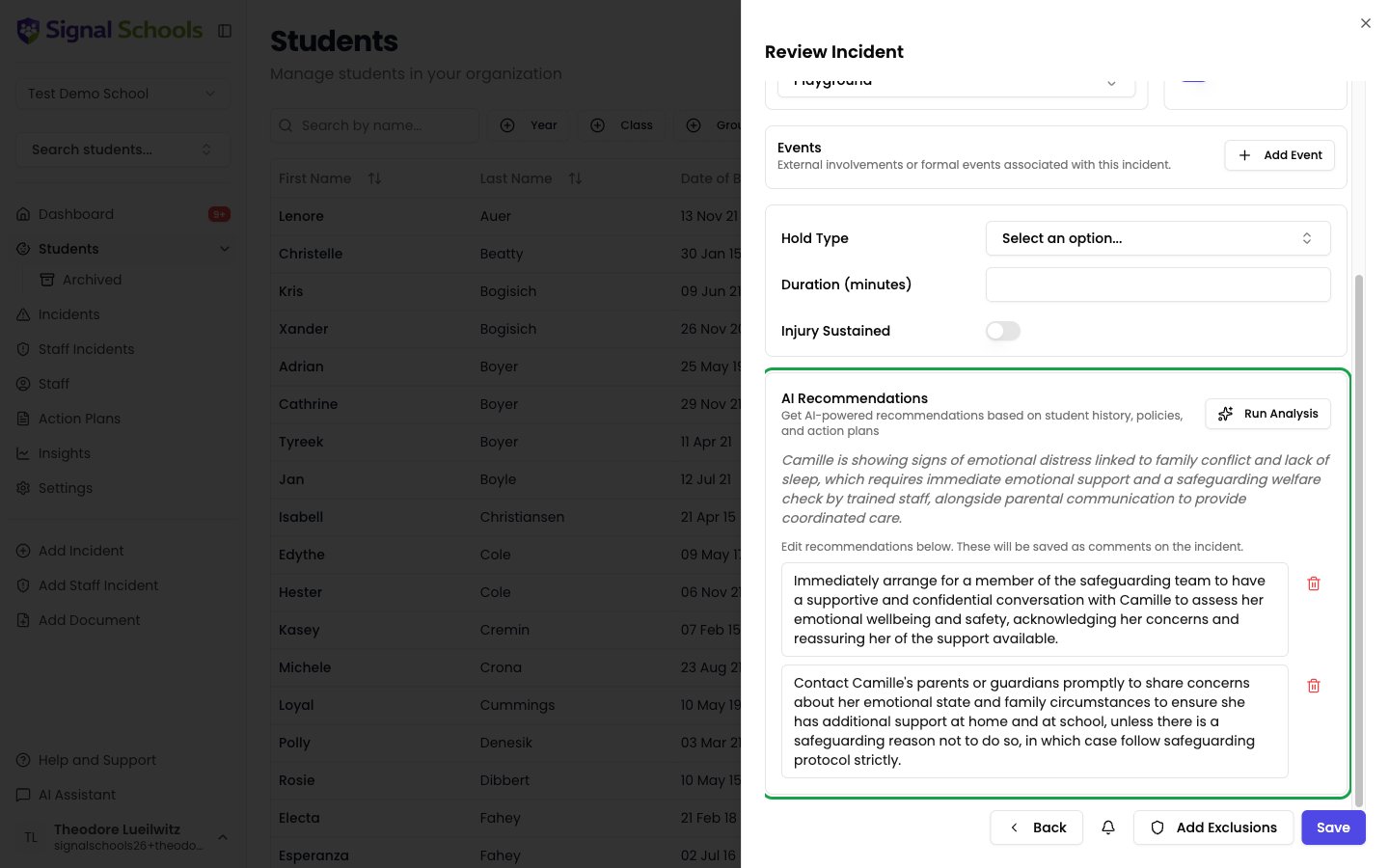
AI suggestions when creating incidents
When you have written the description and click Next, Signal analyses what you have written and suggests:- Categories — the types of concern that best match what you have described, such as Physical, Emotional, Neglect, or Online Safety.
- Location — the place the concern relates to, based on your description.
- Events — relevant events to record alongside the incident, such as external agency involvement (for example Police or CAMHS).
Short term actions
Signal can also draft suggested next steps — the actions a member of staff should take to follow the concern up. You can generate these while you are creating the incident, without saving first. On the review step, click Run Analysis in the AI Recommendations panel. Signal drafts a list of suggested actions from three sources:- Any active action plan for the student. Where a plan exists it takes precedence over policy, so the suggested actions stay consistent with what has already been agreed for that child.
- Your school’s own uploaded policies, used as supplementary guidance or where there is no action plan — so suggestions follow your agreed procedure rather than generic advice.
- The student’s own incident history, so a repeat pattern is taken into account.
- Reword any suggestion, or @mention a colleague in it so they are notified.
- Delete any suggestion you do not want with the bin icon, and restore it if you change your mind.
- Anything you keep is saved as a comment on the incident, so the actions become part of the record.
Running the analysis is optional and never automatic — nothing is generated until you click Run Analysis, and nothing is saved until you save the incident.
Policies matched after saving
Policies are the one part that happens after you save. Once the incident is stored, Signal matches it against your school’s safeguarding policy documents and attaches the relevant ones, so staff have the right guidance to hand. This runs in the background and takes a few moments.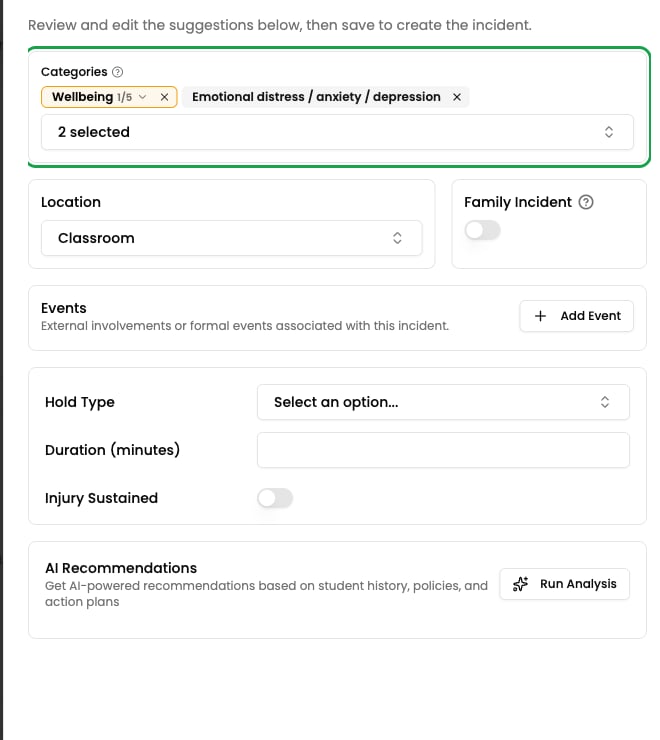
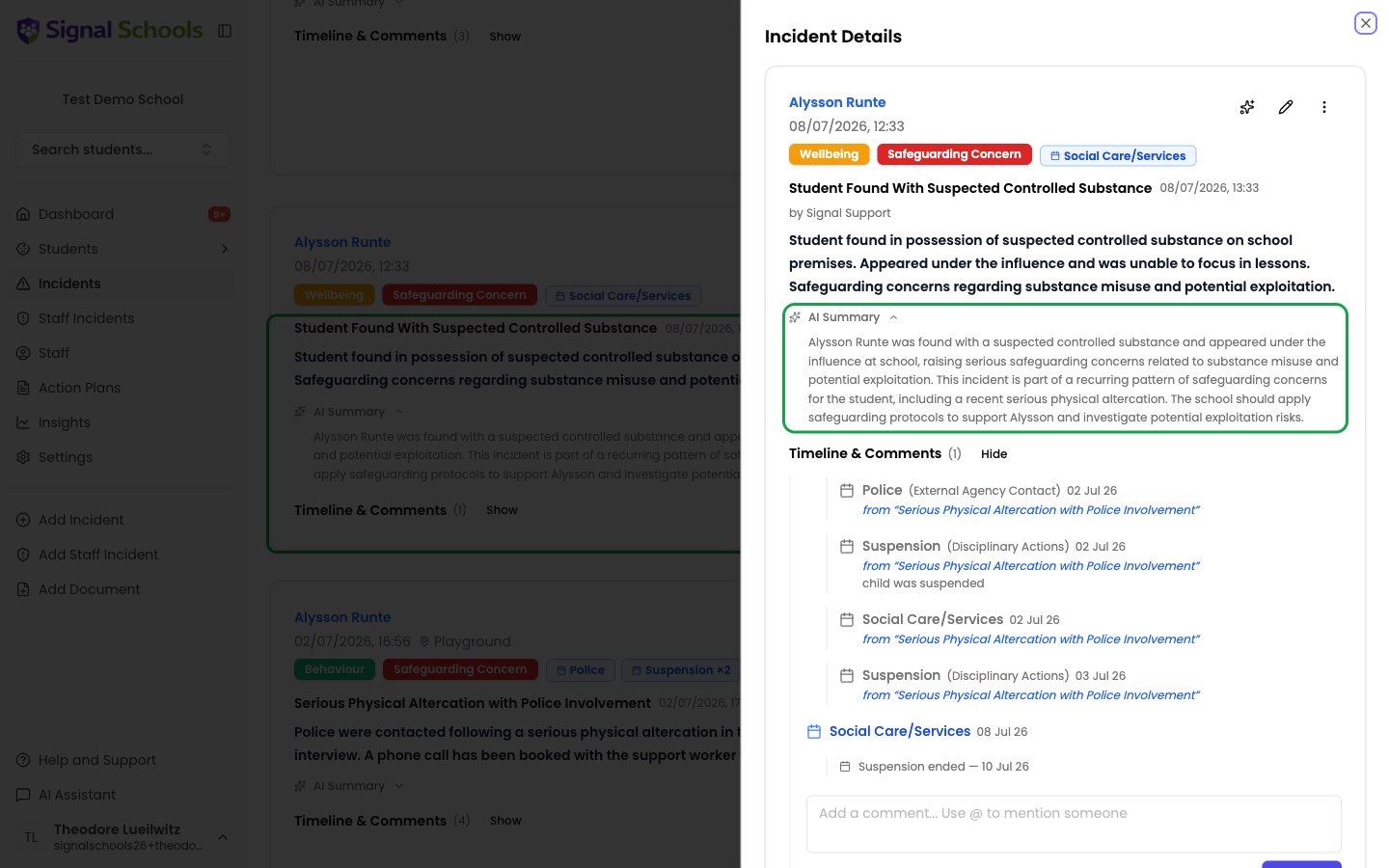
AI Summary
Every incident gets an AI Summary — a short summary of that one incident, so you can grasp what happened without reading the full record. The student’s previous incidents are used as background context when the summary is written. That means the summary can point out how this incident sits against what has gone before — for example, that it repeats a concern raised earlier in the term. It is a summary of the single incident, not a summary of the student’s whole history.What a summary includes
- What happened — a concise account of the concern recorded on this incident.
- Patterns worth noticing — where this incident echoes or escalates earlier concerns for the same student.
Where summaries appear
The AI Summary appears on the incident itself, so you see it wherever you open an incident — from a student profile, an incident list, or a search result. This is especially useful when:- You are triaging several new incidents and need the gist of each one quickly.
- A new DSL is taking over and needs to get up to speed on a case.
- You want to know whether a concern is a one-off or part of a repeating pattern.
Document analysis within incidents
When you attach files to an incident — photos, scanned letters, reports — Signal’s AI automatically analyses them. It extracts text and generates a summary, so you can understand the contents without opening every attachment individually. Learn more about how this works in Document Analysis.AI is a tool, not a decision-maker
All AI suggestions are recommendations. They are designed to support your professional judgement, not replace it. You review every suggestion and make the final decision on categories, locations, events, and next steps.