
You need the Deputy DSL, DSL, School Admin, or Owner role to manage event types and groupings.
Groupings and types
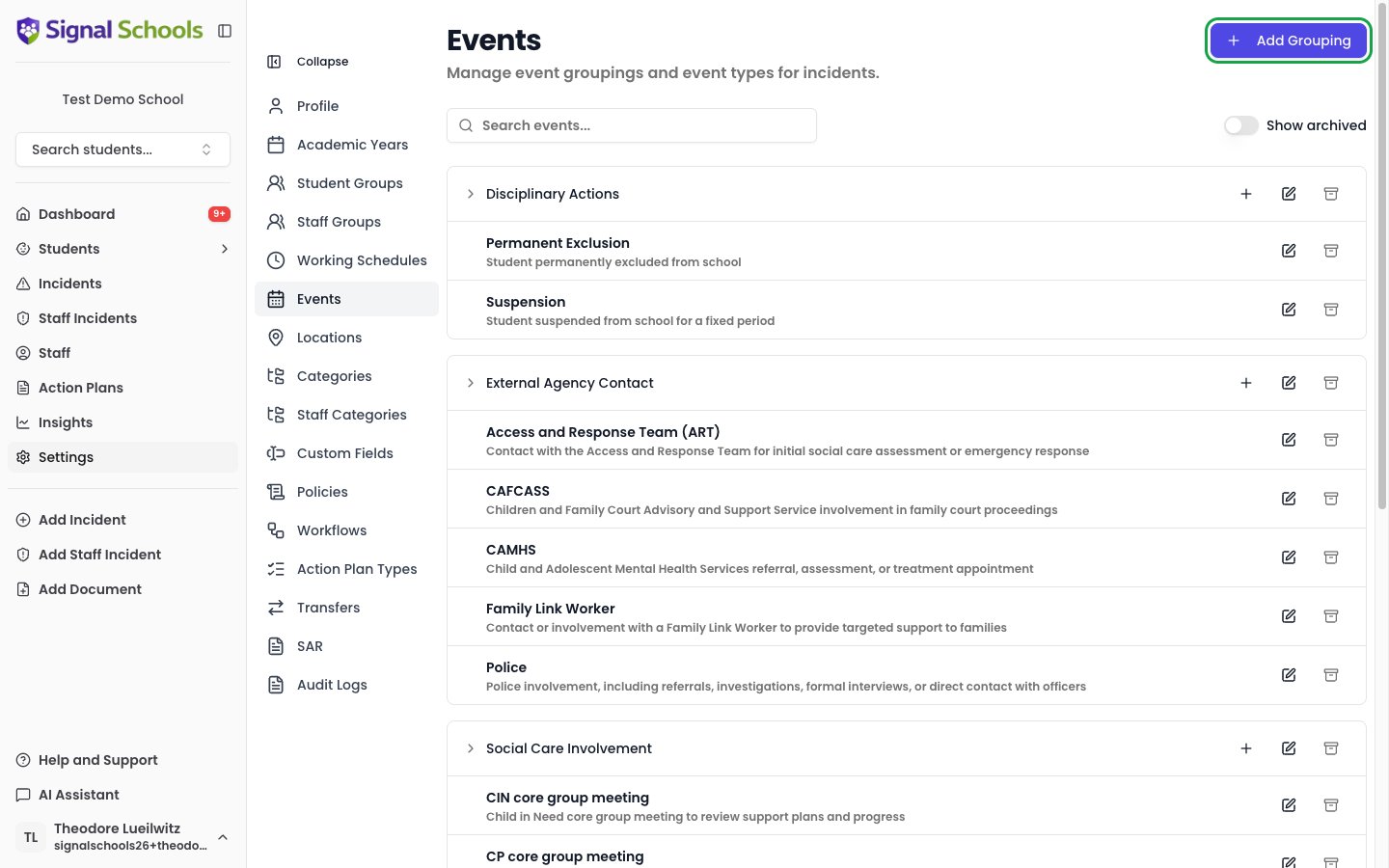
Events are organised in two levels:- An event grouping is a broad heading, such as Social Care Involvement, Disciplinary Actions, or External Agency Contact.
- An event type sits inside a grouping — for example, CP core group meeting under Social Care Involvement, or Suspension under Disciplinary Actions.
Managing event groupings
1
Go to Settings
Open Settings from the sidebar and select Events.
2
Add a grouping
Click Add Grouping in the top right. Give it a clear Name and an optional Description, then save.
3
Edit or archive a grouping
Each grouping row has icon buttons to Edit grouping and Archive grouping. Archiving hides the grouping from the options staff see when recording new events; events already recorded under it are not affected. Turn on Show archived to see and Restore archived groupings.
Managing event types
1
Add an event type
On a grouping row, click the Add event type (+) button. Give the type a Name, an optional Description, and confirm its Grouping. Then set Can cover several children to match how the event works in your school — see below.
2
Edit or archive
Use the Edit icon to rename a type, move it to a different grouping, or change whether it can cover several children. Use the Archive icon to remove a type you no longer use from the options offered for new events, without affecting events already recorded.
Events that cover several children
Some things happen once and cover several children. A referral to social care naming two siblings is one referral, and a multi-agency meeting about a family is one meeting. Other things happen once per child. Each suspended pupil serves their own suspension, with their own dates and their own return meeting, so two suspended children are two suspensions. The Can cover several children switch on each event type says which kind it is:- On — one record can name several children. Staff tick everyone it applies to and Signal saves a single event. Use this for referrals, meetings, and agency contact.
- Off — each child gets their own record. When staff tick several children, Signal creates a separate event for each, so each can carry its own dates.
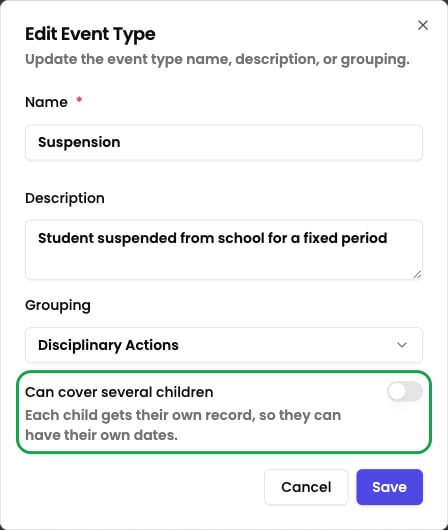
Changing this setting affects new events only. Events already recorded keep the children they were saved with.
How this affects your reports
This setting is what keeps your counts honest, so it is worth getting right for suspensions in particular. Asking “how many suspensions were recorded this term?” counts events. Asking “how many children were suspended?” counts children. Both numbers are correct, and they will differ when one event covers siblings — so check which question a report is answering before quoting a figure.Use the Search events… box to find a grouping or type quickly when your list is long.
Archiving a type or grouping is safe and reversible — it only controls what staff can choose when recording new events. Historic events remain on their incidents and in your reports.