
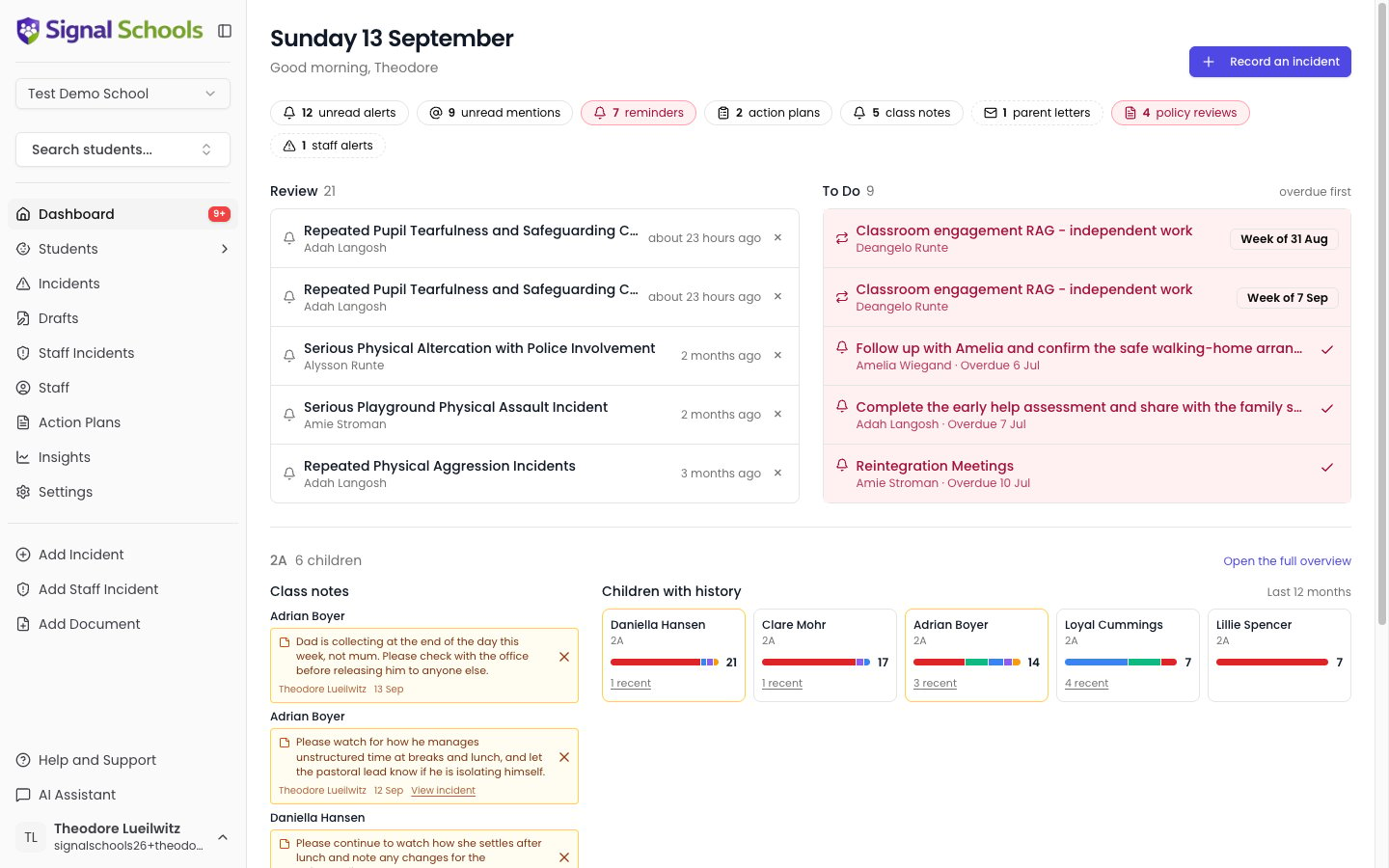
The count strip
The row of chips under the date is every number the page can show — and every one of them opens. Click 10 unread mentions and the full list replaces the two lanes below; click it again, or Back to today, to return. A chip only appears when it has something to show. A count of nothing is not a chip reading zero — it is simply absent, so on a quiet morning the strip can disappear entirely. Two chips turn red when something has slipped: reminders and policy reviews. No other chip has an overdue state, so an action plan review that has passed its date shows inside the panel rather than colouring the chip. Chips with a dashed edge are the school’s work rather than your own, and only appear if you are an Owner, DSL, or Deputy DSL.Nothing behind a chip is fetched until you click it. That is why the page loads with the numbers first: they come from one request, and the list behind a number is only asked for when somebody wants it.
/app?panel=mentions.
The Review and To Do lanes
The first band is split into two lanes, because the two halves ask different things of you.Review
Things somebody else has put in front of you: alerts and mentions. This lane shows only what you have not read yet, so it can reach empty.
To Do
Work you owe, with a date on it: reminders, action plan reviews assigned to you, and your monitors. Check-ins due today or already missed lead the lane on a red row; everything still ahead sits below them.
Recording a check-in without leaving the page
Each monitor check-in is its own row, one per period — so a weekly monitor three weeks behind is three rows, not one. The date on the right of the row is a button. Click it and the check-in opens right there, with the Red, Amber and Green buttons or the slider, and a box for a note. Save it and you are still on the dashboard. The date reads as the period it covers: Mon 15 Sep for a daily monitor, Week of 15 Sep for a weekly one, and the hours for an hourly one.Both lanes are a summary, not a complete list. They show the five most pressing items; the chip above each tells you the real total, and opens the full list.
Mentions and alerts are not the same thing
The two look alike in the Review lane but mean different things, and staff use them differently:- A mention is a colleague asking you. Someone typed @ and your name because they want you to add what you saw, follow something up, or make a decision. Someone is waiting on you.
- An alert is Signal telling you. An incident matched one of your school’s alert rules, so everyone the rule covers was notified. Nobody chose you personally and often no action is needed.
Only unread items appear here
The Review lane deliberately shows only what you have not read. A mention you have already answered is not an interruption any more, and a lane that never empties stops being read at all. Nothing is lost. Opening an incident marks its mention as read and removes it from the dashboard, and every mention you have ever had is behind the mentions chip.A mention comes back as unread if somebody adds a new comment to that incident, so a conversation you have stepped away from can still pull you back.
Your class
If you look after a class, the second band shows it.Class notes
Class notes left by anyone on the class team — the practical things a colleague needs to know today, like who is collecting a child this week. Newest first.
Children with history
The children in your class with something recorded in the last twelve months, busiest first. Each tile carries a coloured strip of that child’s incidents, so you can meet a new class in September and see who has a history. An amber edge means the child has a note.Children with nothing recorded are not shown — use the student overview for the full class.
The school
The third band is a row of at-a-glance counts for the school. It appears only for Owners, DSLs, and Deputy DSLs. The school’s actual work — parent letters, policy reviews and staff alerts — sits behind its chips in the strip at the top, so you see the numbers on every visit and open a list only when one needs you. The counts are — Students on roll, Staff, Unread mentions in school and Unread alerts in school, plus Transfers awaiting approval when there are any. If you have accepted students who have not yet started, Students on roll shows a smaller “+N starting” figure beside it. These are figures to glance at rather than lists to work through, so nothing in this band is clickable.Action plans
The action plans chip opens three tabs, because a review date and a check-in schedule are both parts of a plan rather than things of their own:Reviews due
Plans with a review date in the next month, soonest first, badged Overdue when one has passed.
Monitors
Your check-ins, one row per outstanding period. Click a date to record it there and then — the same dialog as the plan’s own monitors tab.
All plans
Every open plan, whether or not anything is due.
Class notes
The class notes chip opens every live note about a child you teach, on a Live tab and a Past tab. Each row leads with the child’s name, then the note, who wrote it and when. You can edit a note in place, or dismiss it with the ×. Dismissed notes and notes that have reached their end date move to Past, where the row says which of the two happened.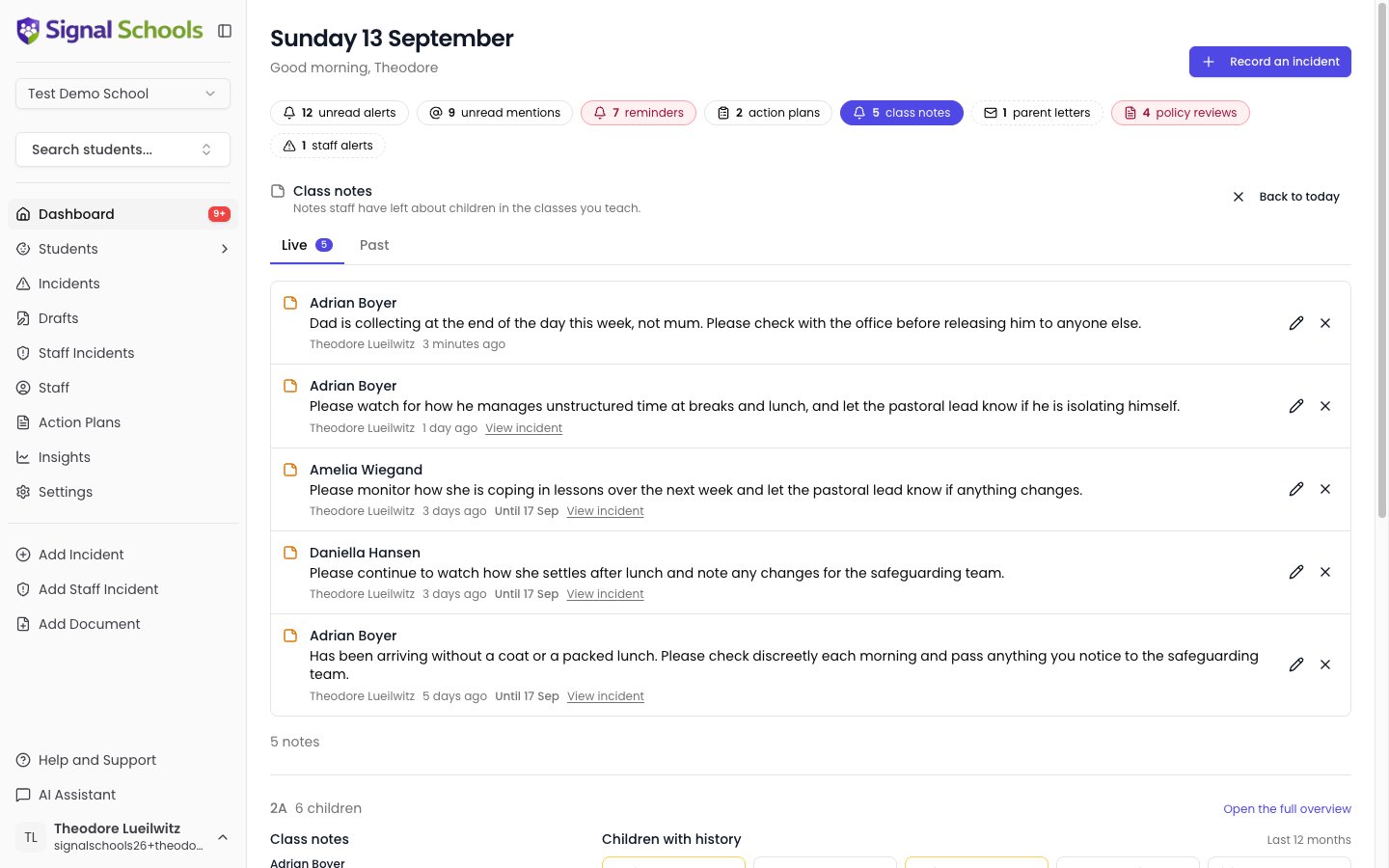
The chip counts every class you teach, while the class band below shows only the one class picked in the selector. The two numbers are meant to differ.
All your mentions
Clicking the mentions chip opens every incident that has named you, in place of the lanes.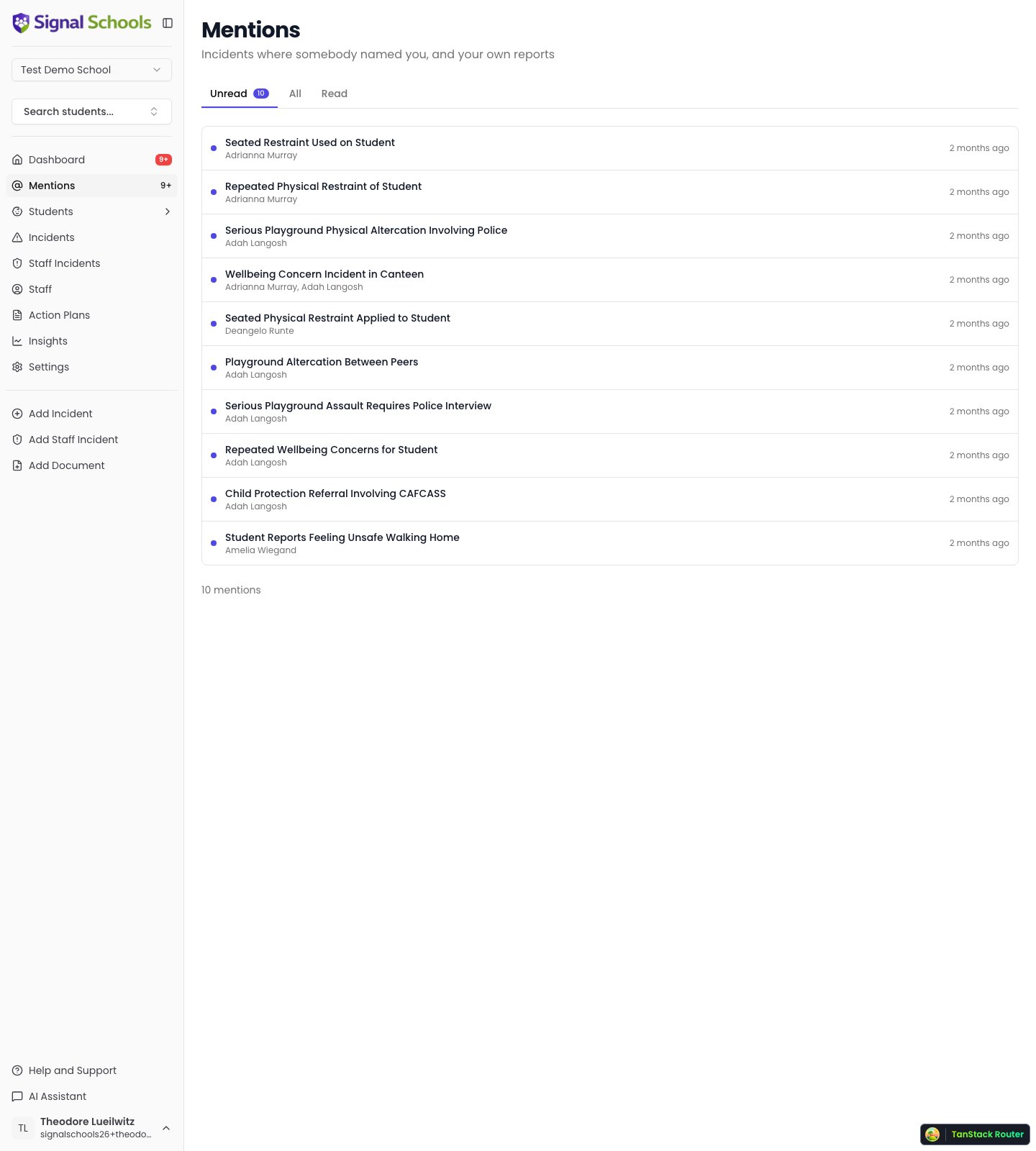
There is no way to dismiss a mention without opening it. Somebody named you in a safeguarding record, so “read” means you have actually looked.
Reminders
The reminders chip opens everything you still owe, not only what has come due, so the number on the chip and the list behind it always agree. Rows edit in place: the ⋮ menu marks a reminder complete, edits it, or deletes it, with the same permissions as the incident itself — you can complete one assigned to you and edit one you wrote. The incident name on each row opens that incident, since here every reminder comes from a different one.Completing a reminder removes it. There is no completed list, because a finished follow-up is not something anybody needs to look at again.
Drafts
Incidents you create by emailing your school’s Signal address live on the Drafts page, in the sidebar. Drafts are private to the person who sent them — you see your own, and colleagues see theirs. A draft is not a recorded incident: nobody is alerted and no one else can see it until you open it, add the pupil and categories, and save.Tips for using the dashboard effectively
Check your dashboard daily
Check your dashboard daily
Make it a habit to review your dashboard at the start of each day. Because the Review lane shows only unread items, an empty lane genuinely means there is nothing waiting on you.
Dismiss alerts you have actioned
Dismiss alerts you have actioned
Once you have reviewed and acted on an alert, dismiss it with the ×. Mentions clear themselves when you open the incident.
Use drafts to streamline reporting
Use drafts to streamline reporting
Share your school’s Signal email address with all staff, so anyone can capture a concern the moment it happens without stopping to log in. Make sure they know the follow-up step: the email creates a draft on their own dashboard, and it is not recorded — and nobody is alerted — until they open that draft and complete it.
Use the chips as your way in
Use the chips as your way in
Every number in the strip opens the list behind it, in place of the two lanes. It is quicker than scrolling, and it means the page only loads what you actually ask to see.