
How AI matches policies to incidents
When an incident is submitted, Signal’s AI analyses the description and compares it against all the policy documents your school has uploaded. The AI looks at the content of both the incident and the policies to determine which ones are most relevant. For example, if a staff member records a concern about online bullying, the AI might match it to your school’s anti-bullying policy, online safety policy, and safeguarding policy.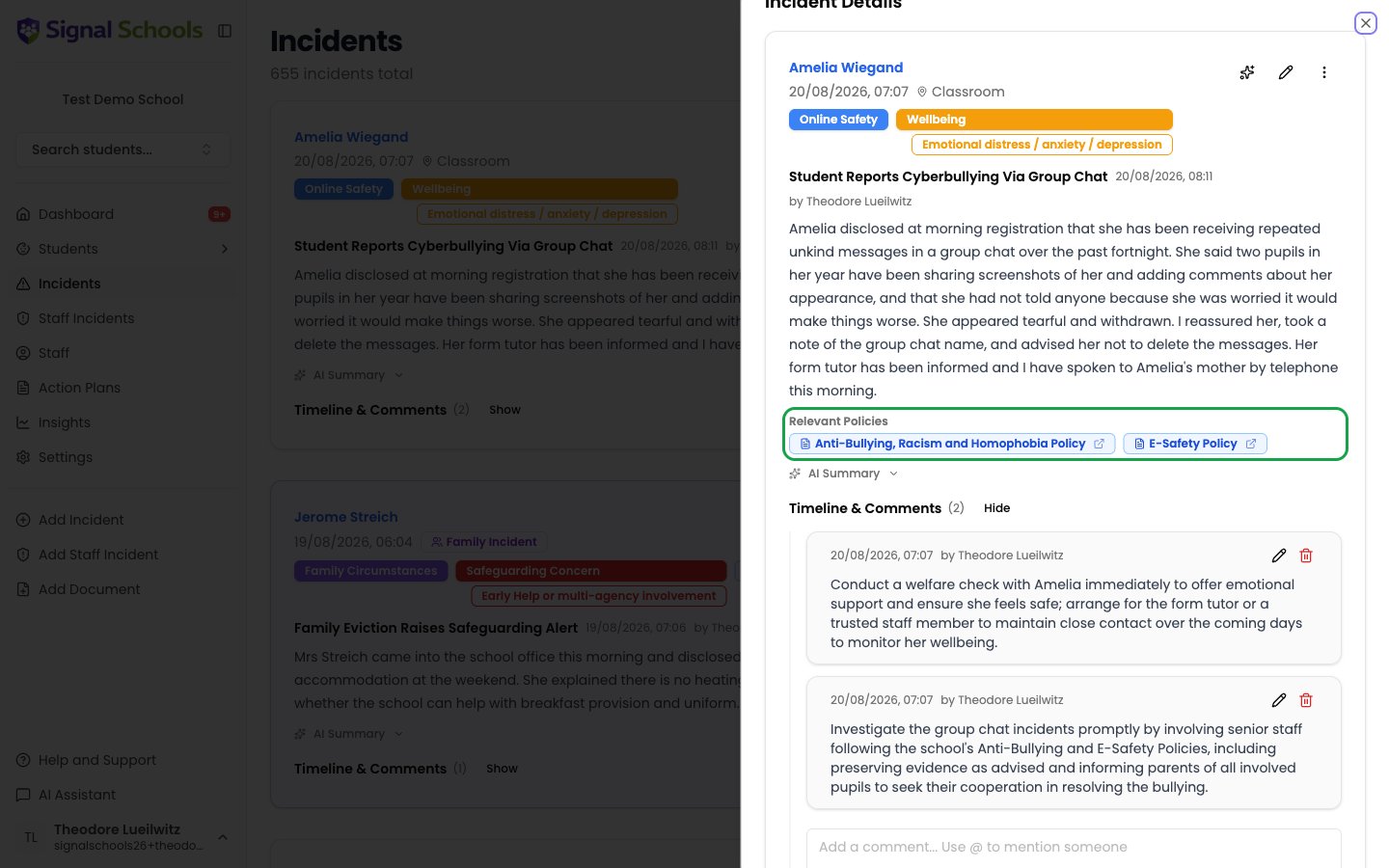
What you see
When viewing an incident, the policies Signal has matched appear as badges showing the policy name, so you can see at a glance which of your school’s documents apply to this kind of concern. Signal does not extract passages onto the incident — the badge tells you which policy is relevant, and you open it to read what it says.Viewing the full policy
Select a policy badge to open the document. From there you can read the procedure your school has agreed and follow it.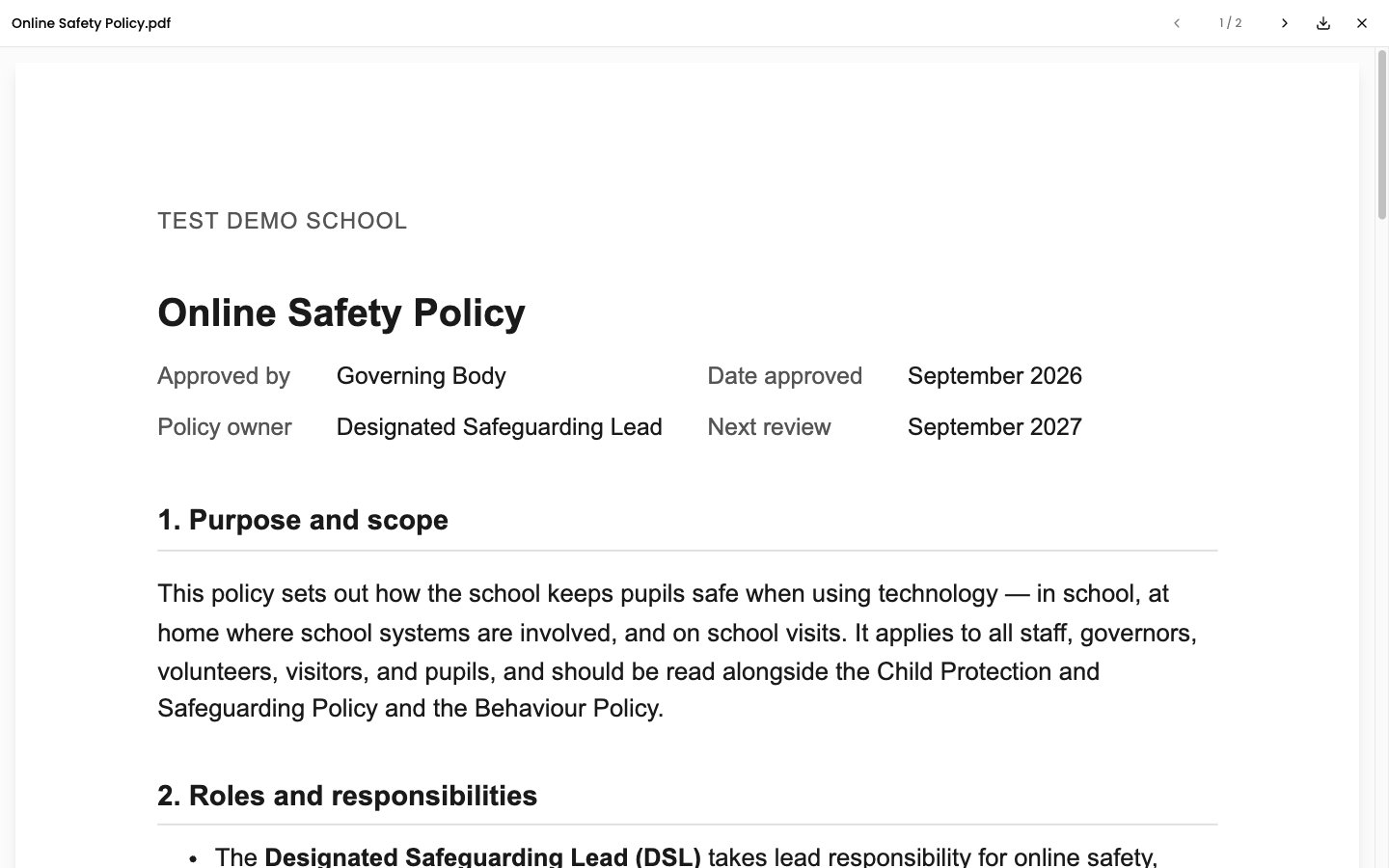
How matching works
Policies are matched on meaning rather than exact wording, so the right guidance surfaces even when the incident and the policy use different language. For example, an incident describing a child being left unsupervised will match a neglect policy even if the word “neglect” never appears in the description. Key factors that influence matching:- The incident description — more detailed descriptions lead to better, more specific policy matches
- The policy content — policies with clear, detailed text are easier for the AI to match accurately
- Policy Type — the type helps the AI narrow down which policies are most likely relevant
Benefits
Consistent guidance
Every staff member sees the same relevant policies for the same type of concern, ensuring a consistent response across your school.
Faster response
Staff do not need to search through shared drives or filing cabinets. The right guidance is surfaced instantly alongside the incident.
Better compliance
Incidents are automatically linked to the policies that govern your school’s response, supporting Ofsted readiness and statutory compliance.
Continuous improvement
As you upload more policies and update existing ones, the AI matching becomes more accurate and comprehensive.
Policy matching is a suggestion to help staff find the right guidance. Staff should always use their professional judgement and consult their DSL if they are unsure which procedures apply to a particular concern.